
What’s New in Spark Hire: From Second Takes to Smart Follow-Ups with Meet
October 22, 2026
See how to invite candidates to retake video interview questions and manage deadlines, plus a preview of AI Resume Review and AI Notetaker in our ATS.
See what’s new in Spark Hire Meet, plus get a preview of Spark Hire Recruit, our applicant tracking system (ATS).
In this webinar recording, you’ll see how to:
- Invite candidates to retake specific one-way video interview questions
- Manage deadlines across video interviews, behavioral assessments, and reference checks
- Get a sneak peek at upcoming smart follow-up questions for more insightful candidate responses
We also share a preview of Spark Hire Recruit. More specifically:
- See how AI Resume Review helps identify candidates whose resumes best match your role
- Explore AI Notetaker for interview notes, summaries, and suggested areas to follow up on
So welcome everyone today.
Lots of great housekeeping items there, but we’re really excited to have you here for what’s new in Spark Hire. Today we’re gonna look at a few exciting updates in Spark Hire and Spark Hire Meet. We’re gonna take look through things that are gonna be giving hiring teams more flexibility to help create a better candidate experience and reduce those extra steps that can slow down the hiring process.
We’ll start with two updates, the ability to get invite candidates to retake specific interview questions, and then expanded flexibility around deadlines for all the different assessment types. From then, we’ll go ahead and we’ll move on to highlighting the innovation that’s taking place in our applicant tracking system, Recruit.
We’ll review AI resume review, which reviews your candidates resumes and lets you know how to strongly align them.
And then we’ll also go ahead and check out our AI notetaker, which transcribes and summarizes your interviews and flags potential follow ups to investigate later on.
So then from there, we’ll go ahead and we’re gonna give a little bit of a sneak peek of something that I think is a very cool update. It’s gonna really allow you to get to know those candidates that much better, which is smart follow-up questions.
So I’d love to hear. We’re gonna post a little poll in the chat John is going to about where are you currently seeing your slowdown in your hiring process happening? What step is that happening in stage?
Yeah, so please feel free to answer the chat or answer the poll.
Like we’re getting some good answers in there. Candidates need to redo one more time. Yeah, that definitely seems to be a big one.
And in one way interviews that leave me with follow-up questions. Those are the top two so far, which the one that we’re gonna be talking about is the redo is gonna be able to be, you know, something you’re gonna be able to take ownership over now, as well as that leaving with questions. That’s something that the follow-up questions is really gonna help.
Yeah, mean, who need a redo or more time is the runaway winner here without a doubt, seconded by one way interviews that leave me with questions. So, It’s great to see these responses come in because we’re gonna be covering these today. So, awesome. And thank you all for responding.
Beautiful. Okay.
So, before we jump in, a quick note.
Spark Hire Meet and Spark Hire Recruit. You’re gonna be hearing those a lot today during our webinar, and those are different product areas. So depending on your package, your configuration or your role, you may not have access to both or to every capability we show. If we cover something you don’t currently have and you wanna explore it, or you wanna figure out whether or not you already have it, respond to the poll when it appears and a Spark Hire team member or your customer success manager will follow-up. So if you have any questions, always throw those in the chat as well. And with that, we’re going to dive in. Let’s turn it over to Alicia to get us started.
Beautiful. So let’s start with a situation that I’m sure many of you have experienced. You invited a great candidate to complete that one way, you obviously all said that from the poll, and they record their responses, submit their interview, and everything seems to be go smoothly, and then you get an email. Maybe they had an audio problem for one question, maybe their internet dropped, and maybe they just realized they didn’t answer the question in the way that they wanted to for you, and they would like to redo them. They’re wondering if there’s a question that they can redo there, maybe two.
And like we just saw that poll, definitely something we’ve all experienced. So previously solving this would go ahead and would mean involving our support team, or having to have the candidate redo the entire interview.
And as someone who spent fifteen to twenty minutes doing an interview and recording thoughtful answers, that’s the last thing we wanna make them do. It’s not necessarily the candidate experience we’re looking for. So now you don’t have to do that. With the ability to go ahead and invite candidates to retake those interview questions, you can go ahead and you can get that taken care of yourself. It’s not gonna require them to redo the whole thing. A lot less frustration for candidates, a lot less back and forth for your hiring team and yourselves, and it is really is gonna be able to let you handle those unexpected situations.
Gonna start sharing my screen so that way you all can go ahead and I can give a demo and show you exactly how you can do this.
So to begin, something that I truly love about this as well is the fact that you’re able to do this right within the assessment page.
So we’re on the assessments page, right where you log into Spark Hire Meet, and we can see all of our completed assessments and everything that we’ve done with our filters here. I’ve left it plain.
I’m going to go to a one way and we’ll say that Blake has reached out and said, hey, you know, need some help with question three, my audio, or I just realized I didn’t answer it correctly, we wanna let them retake it. I’m going to come to those three dots right to the right of their name, select them, come down to invite to retake. When I select this, this is gonna pop up all of the questions that they’ve answered. Now say the status on the side here said audio, or there was an issue there, they just said, hey, I really would like to redo question three for you.
I can then select whatever questions I would like the candidate to retake right here. Now the other beautiful thing about this is that you can go ahead also and you can change that deadline. And also any of the questions that you are not selecting, their answers are gonna say exactly how they are, nothing’s gonna change about them. So I’m gonna have them retake question three, because that’s the one that they asked about, and I’m now gonna be able to set the deadline. Now they know it’s coming for me, it’s gonna automatically default to five days, which is generally our best practice, because it gives the candidate time to go ahead and prepare. However, I told them, hey, I do need this within the next three days, so we’re gonna update that a little bit to those three days there. You can also do that via date and time.
Something else I wanna note here is that we did already have our team leave evaluations for this. By going ahead and allowing that candidate to retake this question, it is going to go ahead and delete those evaluations that have been previously submitted. Why… The why behind that is that this answer might change what their thoughts are as an overall recommendation, those procons, those takeaways, those scorecard responses. So it is going to delete that evaluation that’s been previously submitted there. You’ll see that notification right at the top, so you don’t have to worry about that, so you are aware.
And then I just need to select invite to retake.
The really great thing about the invite to retake here as well that I also love is that it automatically notifies the candidate. It sends them a link to go ahead and return the interview and to complete that redo section question that we selected.
And there’s nothing else I need to do here. I don’t need to write a separate email, I don’t need to restart the whole thing. The candidate experience is gonna be really nice because it’s just that one individual piece. You don’t have to reach out to support, I don’t have to do anything else.
So, I mean, it’s just one small change that can really make a massive difference in your day to day and your time and your back and forth, but also that candidate experience. We’re gonna talk a lot about that candidate experience because that’s something here at Sparkarter that we find incredibly important is to maintain and carry a really positive candidate experience for the candidate, because this is gonna be their first time really interacting with you all. So it also helps us keep a structured interview process with giving them a little bit more flexibility.
Yeah. Before you continue, I do wanna say, you know, you were talking about the customer, the candidate experience.
And one thing I love about this is stuff happens. You feel like you’re doing a great one way, there’s one question, the doorbell rings or your dog starts barking or something happens and you still feel like the need to power through the remainder of the one way, but that one question where there was an interruption or something really sticks with you.
We always talk about one of the great powers and abilities of the one way video interview is the candidate gets to put their best foot forward. And this is just takes that to the next level. So I love that about this new functionality.
Absolutely. And I see that we have a question here asking, will it delete the entire interview or the answer to the previous question? Just the question that you are resetting, you’re asking them to retake. It won’t delete any of the previous questions or responses, just that one. It will have them, it will reinvite them to take it, and it’ll be put in the invite status, and they’ll just go ahead and delete that one individual response. Great question there.
All right, now with that being said, we’re gonna have Shanit pop in a help center article in there that talks a little bit about this, so that way you all can read a little bit more, and again we will share this recording out with everyone.
So speaking of flexibility, this is gonna bring us on to that next piece that we were talking about, which is going to be updating assessment deadlines, the ability to do that with all of our assessments.
Absolutely. Well, I’ll jump in here. So we all know how important it is to keep candidates moving through that hiring process, but we also know that life happens. We were just talking about it before, which is one of the reasons why we give candidates the ability to retake a question.
But maybe a candidate receives their assessment invitation on a Friday. Yeah. And an unexpected family commitment happens or they’re traveling or they’re sick or a million other things that can upend a day or upend a few days. And now the deadline has passed. What we don’t want to happen is to lose a potentially great candidate simply because they need more time or something that’s happened that is outside of their control. So with our updated deadline management capabilities, hiring teams do have more control over assessment deadlines across one way videos, predictive behavioral assessments, and even reference checks. And for those of you using multiple assessment types, this creates a much more consistent experience.
I’m gonna turn it back over to Alicia to give us a deeper look.
Awesome. So I’m gonna share my screen again. You’ll see that Adam and I are gonna kind of go back and forth between sharing screens a lot. So I’m again back in this assessments page.
Something that I love about the ability to update these deadlines is that it’s right here in the assessment page. I don’t have go into the candidate profile. Now the really beautiful thing, like Adam was just saying, is that it just gives you that flexibility there. So what I’m gonna do is I’m taking a look at my expired candidates.
Here I have all of my different assessment types. Now what I can do is we’ll go for Ashley Barlow, which seems obvious familiar to Alicia Garlow, and we’ll go to these three dots right here next to their name.
I can click on this and then I can go ahead and I can update that deadline there. So I can invite to retake here. What I’m gonna do is I’m going to go ahead and I’m gonna just stop sharing really quickly and just do a quick pause.
There. Oops. Sorry. Hold on. Lost my screens. Wrong tabs here.
Apologies about that, everyone. We’ll go ahead in just a second.
I’m having a little bit of technical difficulties here.
My…
Adam, just one second. My Internet is kind of cutting out, so I’m losing my page that I’m on. So I just need to jump back in there and just give me one more second real quick.
Take your time, take your time. It’s just helping build the anticipation of what our attendees are going to see.
I know, right? I know, right? Okay, so we’re gonna go ahead and I am just gonna reshare. Let me know what you can see here, if you can see it now. If not, everyone, basically, it’s going to be very similar to where you could go ahead and you could send those invite to retake there for those questions.
So right now, can you see my screen?
It’s loading up. Yes. And I’m getting… And here we are. We are there.
Okay. So I’m gonna go for Leanna Wilson. I went to those three dots. Here we can see change deadline right there. So I have my deadline here. And, what I can do is I can update it to those five recommended days.
I can do it via date or time or anything along those lines. So it is going to let us go ahead and change it right this way. Now the other beautiful thing is we can go ahead and we can do this with a different assessment type, and all those fun pieces there, and it will let us go ahead and change it. Now with that being said, what I want to do is I want to say that the really big piece about this that I love is that this is allowing us the ability to do it for predictive behavioral assessments now, as well as reference checks, which is the biggest part of this. Something that a lot of clients have been asking us for for quite a while.
The really nice thing there too is that when you are going ahead and you’re doing it with references, it is going to change that candidate’s deadline to complete that. And so with that being said, it’s not gonna change that references deadline, because that references deadline is based on that candidate’s deadline. So that is something to think about.
The other really amazing thing about this is that I’m sure many of you have utilized the ability to go ahead and have automatic, manual, or declined deadline exceptions and things like that. So let me share my screen again. So sorry about some of my tech things happening here, folks.
So what I’m talking about when I say about those automatic deadline extension requests is this can happen now for references and behavioral assessments that’s up coming here and happening. If you come into your jobs page, you can see where you can set those global settings here, and this is going to allow you to choose that automatic, manual, or disabled there. And if you select automatic, you can allow for a certain number of extensions and how many days you wanna extend it for. The other really great thing here is you can also do this job specifically.
So that is a really nice piece, because not every job you’re gonna wanna be able to allow deadline extensions. Some you might be utilizing this as a gauge if the candidate is going ahead and you know, can complete the task in time and can meet a deadline. Some are gonna be roles that you’re like, hey, you know what, things happen, we can go ahead and allow this, it’s okay. So what we’re gonna do is I’m gonna have Shanit pop in the chat, different help articles, one for each kind.
We have the one way, we have the predictive behavioral assessment, and then we also have the reference checks and how to update those deadlines there.
Absolutely, and while Shanee is doing that, I do wanna talk about what I love about these two updates is that they’re really about removing barriers. What we want are for candidates to complete their assessment. We want hiring teams to have the information they need to make confident decisions. And sometimes all it takes is giving a candidate a little bit more time or just giving them the opportunity to fix a question that maybe they stumbled with or something had popped up. So what we’re doing here, what I love about these features is it’s improving the journey for everyone, for the candidate, for you as the recruiter, for us as well, because we now give that power over to you. So everyone benefits from these features, which is really exciting. So obviously if you have any questions, we’ve already seen one or two questions pop up, continue to add those in and we’ll either answer them on the spot or a customer success manager will get back to you.
But let’s kind of do a little bit of a recap here. We’ve covered quite a bit. We’ve looked at how you can give candidates another opportunity to answer specific questions and provide flexibility around deadlines. And while these do solve different challenges, they all have that one thing in common, just managing the process and managing and giving a good experience for But before we move on, we’re gonna do another poll. Would you like to learn more about either of these features?
If so, do you want your CSM to reach out to you? We’re gonna throw that right in here in the chat. Let’s see.
All right, great.
Great.
Definitely a good number of guesses. We’ll go ahead and have them reach out. And again, we’ll also send this recording. You have those helps in articles for everyone. So don’t hesitate to review those and take a look at those.
Absolutely. Feel free to keep answering that poll as we continue to talk. It doesn’t stop, so it’ll stay up for a few more seconds. So feel free to keep answering there. But with that, now I’m going to turn it over to Alicia.
Awesome. So yeah, I mean, I think that the big thing that we’ve talked about is that the opportunities make your hiring process more efficient don’t just stop with the video interviews or behavioral assessments or reference checks.
They allow… They happen in Recruit as well with more AI powered capabilities, so we’re actually gonna go ahead and we’re gonna start poking around in Recruit a little bit. Adam’s gonna show you all how to utilize AI resume review, what it looks like, AI notetaker, give you kind of a little bit of those capabilities and how they can help your hiring process. And don’t forget to stick around because then we’ll have that sneak peek of the smart follow-up questions at the end within Meet.
You don’t want to miss it.
Yeah, It’s cool. Do not.
Okay. So everything we just showed happens once a candidate is in your interview process, but a lot of the time on your team goes into what comes before that, sorting applications and after it, the live interview. That’s where Recruit comes in. So Meet is a fantastic tool to screen candidates and be more selective. However, there’s more opportunity to drive more efficiency and more effective hiring. So Recruit, which integrates seamlessly into Meet, helps you promote jobs on job boards and your career page, manage a pipeline, schedule and conduct interviews, send out offer letters and more. So let’s think for a moment.
Think about the last job that you put out on a job board or you put out on your career page and think about how many resumes came in. Everything we hear from our customers is that volume of applications is increasing every day, every week, every month. And that’s the trend that it’s going in. And that’s because the hiring landscape is changing.
Candidates are using AI to apply to more jobs and hiring teams, and I’m sure all of you are nodding to this, are being asked to do more with less. And as a result, recruiters are being challenged to manage high volume. So with AI resume review in Recruit, you could surface the resumes that best align with the requirements for the role. So what I’m gonna do now is I am going to share my screen.
We’re gonna dive into that. We’ll then dive into notetaker and go right back to Alicia again to show you that final sneak peek.
I love it. I love it. And there’s just so many different things that we can do here. It’s just so helpful. And it really just leaves it all in your hands, is nice too.
Absolutely. All right, are we good to go?
I think so, I can see it.
Wonderful. All right. So what you’re going to see here is recruit, and what I’m going to do is I’m going to go to an existing job, and I’m going to click on my workflow. This is the workflow that the candidate goes through, And you’ll see the very first step I have in that process is AI resume review. And you’ll see I have auto start selected. So what that means is as soon as a candidate applies for the role, AI resume review gets to work reviewing the resume and puts it up in line with the requirements for the role, internal and external, and I’ll talk a little bit more about what that means, and lets you know their fit ranking, whether they’re a strong fit, good fit, partial, or low fit.
And then based on this, you could decide whether or not you want candidates to automatically advance to the next step in your workflow, or in my workflow, of course, it’s gonna be a one way video interview, or whether you want to do an additional review of the resume before rejecting the candidate or deciding, you know what, I still wanna move them forward. The beauty here is AI is not automatically rejecting any of these candidates. You remain in control. This is all up to you. So if you wanna review every candidate regardless of their fit, or you wanna really be selective, again, everything is your choice here. And I’ll show you how this plays into the categorization or the prioritization shortly.
I love it. I think so as someone who is always, we’re always hiring, everyone’s always hiring, right? So someone who’s recently hired in the last few months, I mean, this helps shortlist my folks so much, taking it from, you know, four, 500 down to like a short list of a 100 and then down even more to 30, which was really amazing, especially when they focused on those strong fits and even less. Absolutely. So it was just really helped save so much time for me and helped streamline my process, which again is really helpful. And it also let me still be very involved and make my executive decisions.
Absolutely. So before we look at an actual candidate and how the review went for that candidate, there are two things I wanna quickly show you. First is if we go to the job description, what the resume is being compared with are the requirements for the role, the requirements that you put in, and the internal requirements. Now internal requirements are requirements that don’t go on the job They don’t go on your career page job description.
They are internal only you see them. Because realistically, sometimes we don’t want a candidate to know that we’re looking for people who have at least one year of experience. They’re not job hoppers. We want candidates that are willing to come to the office five days a week, but maybe we don’t wanna promote that initially, and we want them to have previous experience working with a competitor.
You can even put some of the competitor names in parentheses here. I obviously am not gonna do that. So, but you have the ability to do that. And then once those resumes start funneling in, you’ll see here that they’re simply sorted based on their fit ranking.
We’ll have strong, good, partial and low fit candidates. Now the beauty here is that at a minimum, it’s just prioritizing candidates for review. So if you still say, I wanna review every resume that comes in, I don’t want all of them going to the next step. I could still say, you know what?
I wanna start with the ones that are highest ranking first because I don’t want them waiting around. If I have to look at two fifty resumes, I don’t want them waiting two hours. I wanna get back to those people immediately, and you can click on any of those candidates. And that’s the beauty here.
And what we have here is Alan Kas, again, a name very familiar to mine. So let’s click on Alan.
Alright. So Alan is far along in the process, but Alan did complete an AI resume review, and we’re gonna scroll down to evaluations, and we’re gonna see a summary of that review and be able to take a deeper dive.
So, see that Adam hits the mark with years of experience, at least one experience in software or tech type of degree. Good fit so far. Good fit. We’ll also see grayed out areas where Adam doesn’t have any reference on his resume to these critical areas, and a little bit of concern because Adam can come to the office, but he doesn’t say five days a week in his resume. But now what we can do is click evaluation and take a deeper dive into those results. And what you’ll see is I can expand and get a deeper understanding why AI resume review either checked it green, blank, or yellow.
And you can always let us know for doing a good job with those results. But you’ll see here just a great way for AI resume review to do some of that initial heavy lifting for you with you still being able to make the final decision.
Okay. The last thing that I’ll mention is let’s go back to the role for a second. And let’s say that I go to the description, I say, You know what? My manager just told me, it doesn’t…
Or the hiring manager told me it doesn’t matter whether they come to the office anymore. Now I remove that. What happens with all of the candidates? When I go back to the workflow, it’s now going to give me the option here to reevaluate.
So AI resume review will now reevaluate all the candidates that came in based on any changes to the requirements, both internal and external for the role. So just a monumental level of efficiency here. And AI is not doing the work for you. It’s just helping you prioritize candidates so you can focus on the best fits first.
I’m gonna breathe.
I’m gonna get a sip of water and I’m gonna get You’re breathe sip for a second?
I mean, yeah, I think that it really lets you get those specialists. I mean, something that about… I know you mentioned those internal requirements and that’s something that I use often because it just really hones things in.
I do… I just… I love it. It’s just such a helpful piece.
So now we’re gonna kind of pivot a little bit, and we’re gonna kind of start thinking about that last time that you went ahead and you had your interview that you conducted. So during that conversation, as you’re getting prepared for that conversation, you’re probably thinking, okay, I have all these questions I wanna ask, I have all these things I need to do, what do I wanna do here and what do I wanna ask? And I need to make sure I’m taking all of these notes. You’re thinking about your next question, whether you need a follow-up, you’re trying to build rapport, you’re trying to maintain eye contact, all at the same time you’re trying to be really engaged and capture detailed notes during that and that’s really challenging to do, right?
It’s a lot, there’s a lot of things, something is going to trade off and you might be focusing too much on taking notes and miss something they say, you might not be present with that candidate and then they can feel that lack of presence there. And if you don’t take enough notes though, then you risk of forgetting a really important piece and something that they acknowledged and said during that, doing your evaluations afterwards. So this is a problem that actually AI Notetaker is really designed to solve. The really beautiful thing about that is that this lets interviewers focus on the conversation while Spark Hire captures and organizes that information for them.
So…
And for you, the notetaker is gonna do that. It can join interviews held through Zoom, Microsoft Teams, Google Meet as a participant, and afterwards it provides a really great summary, organizes relevant information into relevant topics, and a quick review of everything that was discussed, as well as it also gives you things that you might need to follow-up on. I think for me that is the big part of it is that I’ve used it recently and not only did it organize everything really beautifully, but it also gave me areas that hey you might want to follow-up on this piece and this is a really irrelevant important part there.
But the really great thing about this is that I stayed in control the whole time still. The interviewer is still in control. It does not make that decision for me and did not decide if I was gonna move them forward or not to that next step. I can still see what suggestions it gives me to review, accept, reject, or edit, and being responsible for the evaluation and what I’m gonna be doing moving forward in the hiring decisions. So, Adam, if you don’t mind, let’s jump in and demo it, please.
Absolutely. So usually what happens is whenever we demo AI notetaker to anyone, one of the first things they wanna know is what about the candidate experience? What about a candidate whether or not they want to be recorded or not recorded or to have a notetaker joining the interview. So let me go back to our slide deck and I wanna show you the candidate experience.
Absolutely.
So, yeah, when a candidate goes to join the interview, the first thing that they’re going to see is a notification that we will be using a notetaker. And then they have the option to click continue with recording or continue without recording. If they choose to continue without recording, AI notetaker does not join the call. If they choose to continue, AI Notetaker does join.
And when AI Notetaker joins, you’ll see here, AI Notetaker. Now, AI Notetaker, we didn’t come up with a creative name for AI Notetaker or anything like that. The reason why is because once that candidate joins and you’ll see AI notetaker now here in the upper right, once AI notetaker joins, we really want the candidate to know that it’s there. The candidate may forget, they may have clicked continue with Yeah, they may have clicked continue with recording without even realizing what they were clicking continue with.
And now seeing notetaker, they understand exactly what’s there and we’re always crystal clear about it. Okay, so now that we’ve done that and that’s what the candidate experience is during the interview, I’m gonna stop sharing the slide, and I’m now going to show you exactly what Notetaker looks like. And then again, final reminder, final time I’ll say it, when this is done, back to that sneak peek of another upcoming Meet feature. So let’s go back to Recruit, and let’s go back to Alan Kas, because Alan did the AI resume review.
It automatically moved him forward, which automatically launched the invite to do a one way. We proceeded with that, and now we’re in the interview. Now we conducted the interview.
Let’s go to evaluate the candidate. Alright. So the first thing that I wanna highlight here is the interview summary.
Now with the interview summary, what it does is it takes that transcript and it categorizes and puts themes together for the different responses that the candidate gave throughout the interview. So you’ll see here role in recent change, sales performance and quota, cross functional collaboration. So it’s grouping it together so I can easily find what I’m looking for.
Now I can click add to interview and it’s going to add it. But I also have the ability to do is copy that summary. So if I just wanna give a hiring manager a quick brief before their interview or just to get their feedback, I can easily copy the summary and send it over to them. I also could download the transcript. Let’s say I wanted to look at the entire thing. I also have the ability to do that as well.
Now, when I’m done Keep going, sorry.
Going. I’ll wait later.
I’m done there, let’s say that I didn’t wanna even look at the AI suggestions, I could turn them off. That’s completely up to me, but I wanna keep them on. And what it’s going to do is for the pros and the cons, it’s going to give me its suggestions. And I have a few choices. I can add those suggestions and make any changes that I want.
I could say, you know what? I don’t want any of them.
And then maybe I changed my mind and I want them later on. I click on that little icon and they come right back. So I get to choose whether or not I wanna add them, edit them, delete them, or change my mind later on and pick any one of those And options it’s going to do the same with the concerns. It’s going to flag any concerns that AI notetaker picked up. And again, you could be still be taking some notes if you want to. This is really to compliment and to put some foundation to some of the work that you’re doing.
Now, as we scroll down, we also have further review. When you complete an interview, you know, you’re so busy listening to everything the candidate says, you may not be thinking about what was missed or what needs further investigation.
So with further review, AI note taker spots, maybe some areas that weren’t discussed that are specific to the role that you would want to. Maybe something was just inconsistent. I’m gonna give you a good example. So you’ll see here a name discrepancy. So I have this candidate as Alan Cass. However, to do the AI notetaker, I asked a team member to do an interview with me and her name was Sue. So throughout the interview, I kept calling her Alan and Sue back and forth.
The AI notetaker picked up on that. It was like, wait a minute, you’re calling the candidate two different names. What is their real name? So even something as small as that, AI notetaker will pick up on it. So it was a great example and I was like, Oh, should I redo this? I’m like, No, it’s actually a really nice example of AI notetaker picking up on even the smallest inconsistencies and flagging those to you for deeper review later. And again, up to me if I wanna add them, delete them, or add an edit.
Finally, scorecard. So we like to use a scorecard when we evaluate a candidate. And what AI notetaker does is it doesn’t score the candidate for you. Again, you always make those final decisions.
But it’s going to make recommendations based on the scores and the descriptions of those scores that you have provided. So, you’ll see here, four out of five when it answered the questions based on the skills that we’re looking for. Another four out of five. Has technical experience?
AI notetaker left it blank. It left it blank because we didn’t discuss it in the interview. An AI notetaker is not going to make things up. So it is simply going to leave that area blank for us.
I think that’s a really good call out that it doesn’t make anything up. It’s gonna just keep it completely blank there. And it just like lets you know like, hey, this is an area that now I need to follow-up on. Not only is it part of the follow-up, but it’s like, we didn’t discuss this. And so that’s a really good note for you to know as a hiring manager later on. Like hey, it’s not gonna pretend and this is adding to that human part of it.
Sorry to interrupt you, but No, no, please.
So John, if you could throw that question in the chat, how many days does it usually take to interview feedback from your hiring manager? Now, really wanna know if anybody pops in any responses because one of the biggest challenges we do have is getting feedback from hiring managers. I’m sure every recruiter, every person here knows the experience of constantly chasing them down. Now, the beauty is anyone who’s worked in recruiting knows that scenario. The hiring manager conducts the interview, the interview ends and you wait and you wait. And the longer you wait for feedback, the more details we naturally forget.
AI Notetaker does help solve that because the information from the conversation is still there. So if the hiring manager completes the interview four days ago and only now finally gets around to it, the notes from AI notetaker are still there. And the hiring manager can review them to jog their memory. They can review the transcript to revisit it and leave their notes based on that.
And they’re no longer starting from that blank page and trying to remember a conversation from several days ago. And then they just give you that one sentence summary. They were good. They can really go back and provide that detail.
So when we step back, AI notetaker isn’t simply about eliminating handwritten notes. It’s about improving that experience for everyone involved. For the interviewer, you get to stay present and engaged. For the candidate, they have an interviewer that’s maintaining eye contact.
They’re not wondering what is that interviewer constantly writing down. It’s a natural conversation. And for recruiters makes it easier for hiring managers to provide that structured feedback. So AI is doing some of that admin work in the background.
Your hiring team remains in control.
So, we’re gonna throw out one last poll before we move on to our final topic. And that is, do you wanna learn a little bit more about recruit? Yes or not right now? So, John, if you could throw that poll up there.
Is it up there?
It looks like it’s jumping in.
Oh, there we go. There we go. So, please answer because if you do want to learn more about Recruit, your customer success manager will reach out to you just to provide some answers and see if there’s anything else that you would like to learn about Recruit our ATS. Wonderful, getting a nice amount of responses and a nice amount of yeses, which is always wonderful to see.
It’s just so helpful. I think the fact that they bounce back and forth and you can work on use both has been really beneficial, at least for me for sure. And having the AI notetaker, you know, I work with multiple people as our hiring manager here. I sometimes take the hiring manager recruiter role. So being able to go ahead and to really kind of bounce it back and forth and get these notes from them very seamlessly has like been super streamlined. It just makes it so much faster.
And I’ll tell you the thing that I hear. There are two things that I hear the most from customers and what they’re looking for. One is AI and one is tech stack consolidation. And the exciting thing about what we’re showing you here today is how passionate Spark Hire is about incorporating AI in a strategic way that still gives you control and acknowledging for some of our customers and some of you who answered yes, that consolidating meet and recruit together can create some phenomenal efficiencies. All right. So, with that, I’m going to turn it back over to Alicia to finally show us that sneak peek that we’ve been talking about 20 times during the webinar today. Alicia, over to you, I will Beautiful.
Stop sharing my Beautiful.
All right. So, I’m gonna go ahead and show our slide deck really quickly here.
And so this is our smart follow-up questions. I know that this is one of the questions on the polls and we had a lot of people say earlier that this is something that they actually have impacted them quite a bit is that one way interviews will leave you with some questions. So this can help with that which is a really great piece there.
Smart follow-up questions. So what will happen is within your job settings here, and I’ve gone into my job settings, I cut it down a little bit so you could see exactly what I was talking about. At a global level you’ll be able to go ahead and you’ll be able to toggle on personalized questions. These are follow-up questions that are enabled on the job. So you’re gonna toggle on on a global level, and then you’re gonna go into the job and actually enable that right within that section there.
The great thing about enabling it per job is that it’s going to allow you to then select how many questions you want it to go ahead and provide. So the great thing about this is that you can say, you know, the question limit. Right now I selected three as a you know an average just to say that this is the number of you know follow-up questions I might want it to kind of cap at there the limit and the volume there.
So from that it’s then going to go ahead and it’s going to trigger those follow-up questions for those candidates. Now the thing that I want you all to think about is these are the times when you’re like, hey I wish they would have given me a very specific example.
Know I asked, can you tell me about a time that you experienced a difficult situation with a co worker and what was the outcome? They explained the difficult situation but they didn’t explain the outcome. They explained what they did but you still wanted a little bit more.
So that’s what this will go ahead and help you solve basically.
So instead of leaving you team wondering you’re gonna get that answer there it’s really exciting. So the thing to think about is that not every question will trigger a follow-up question.
It’s designed to ask where more information is actually needed and where it’s relevant. And the other really beautiful thing about this is that it’s actually going to be connected to that individual interview.
You will see that it does just showcase right within there, it’s connected to that question and right into that completed assessment from the candidate. So it’s all right there in that one spot for you all to view.
And for the candidate on their side of things, it isn’t a separate conversation. They aren’t getting asked later on at another time, they aren’t getting asked to do a second follow-up interview. For them, it will go ahead and it will trigger during it and say, thanks for sharing your experience to learn more about your sales aptitude. Could you share an example of how you handled that? And so this is what it will look like for them. So it keeps it all buttoned up together in one spot there.
So that is something that I really love about it is that it’s not separated whatsoever, it’s all in there together in one piece. Now with that being said, as you can see, I think that the really beautiful part about having this all in one spot here is that it hones it in together for everyone, and if you’re using AI video review, this can also go ahead and this will enhance and it will be a part of that AI assisted evaluation. So it’s not going to be separated, it’s going to be all a part of it right there. Again, that we’ve talked about quite a few times is the goal is to not replace your hiring team with AI, but it is to help give you the necessary information and the data and the evaluations behind that to make your better hiring decisions, and to make sure that you are going ahead and you are moving forward with everything that you need from those candidates to get that best fit for you all.
So you know for you folks moving forward and as you’re starting to think about this upcoming feature, think about what is a question you know that you often most often get half answered?
How many of them are there? Do I wanna go ahead and enable this for that? And ultimately this is gonna help you get more meaningful information, and keep that, again, that candidate experience nice and simple and clear for everyone. Which I think is the big part of it, is that candidate experience is consistent and it doesn’t change. So that’s a really beautiful thing about these smart follow-up questions. So now with that, I think we’re here at the end and let’s wrap it up and bring it home and, you know, say the little quick things for everyone.
And Alicia is correct. That is the end. So thank you all so much for spending part of your day with us. We do hope that you’ve walked away with a few new ideas for making your hiring process more efficient, create a better experience for candidates and get more value out of Spark Hire.
What we do love about these updates is that are solving real challenges hiring teams experience every day, whether that’s a candidate needing a second chance or an assessment deadline or anything else we’ve gone over. And we’re continuing to build on that with even more capabilities on the way. As you can see, we keep doing these webinars every month and showing you all the new things that we’re working on. So if something we covered today really did spark your interest, and you didn’t answer any of the polls or you didn’t chat with us, you could still reach out to your customer success If you answered yes in the poll, we will absolutely be in touch and the webinar recording will be sent out later today.
Thank you so much for joining us and happy hiring everyone.
More Webinars
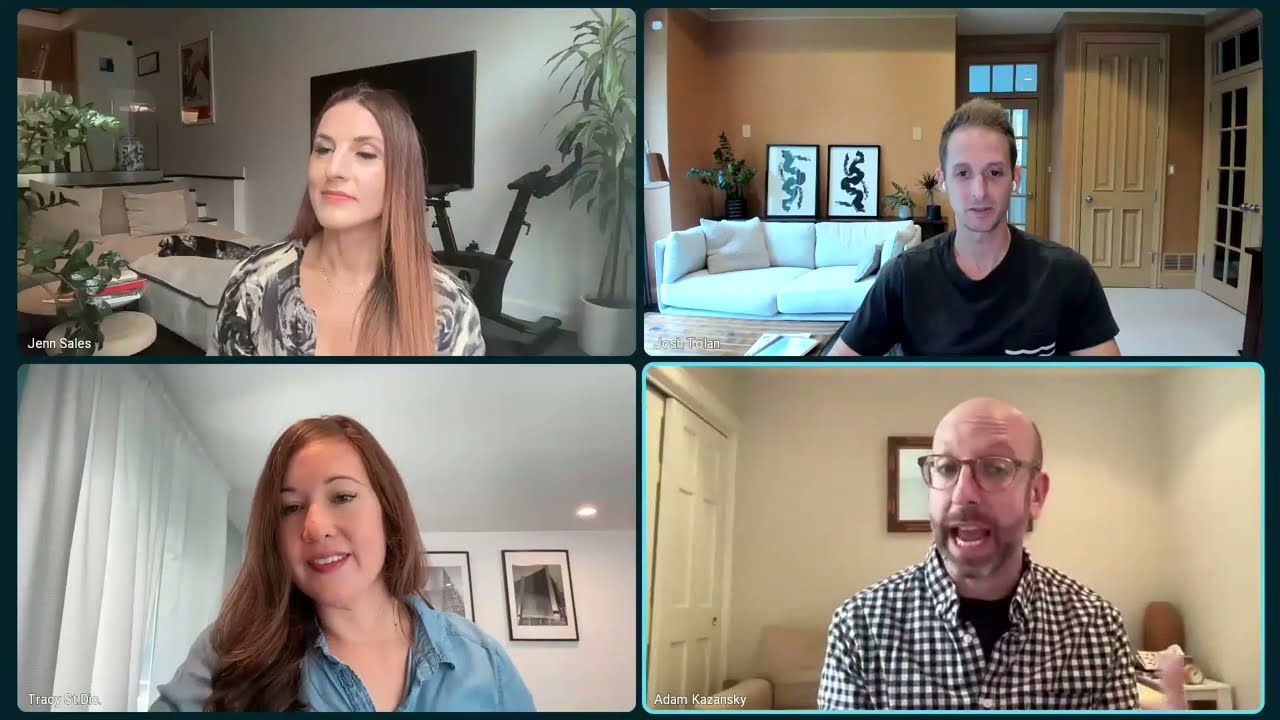
Hiring in the AI Era: How to Embrace and Evaluate the AI-Enabled Candidate
AI-drafted resumes and coached interview answers make candidates harder to read. Hear a panel on evaluating AI-enabled candidates fairly and at scale.
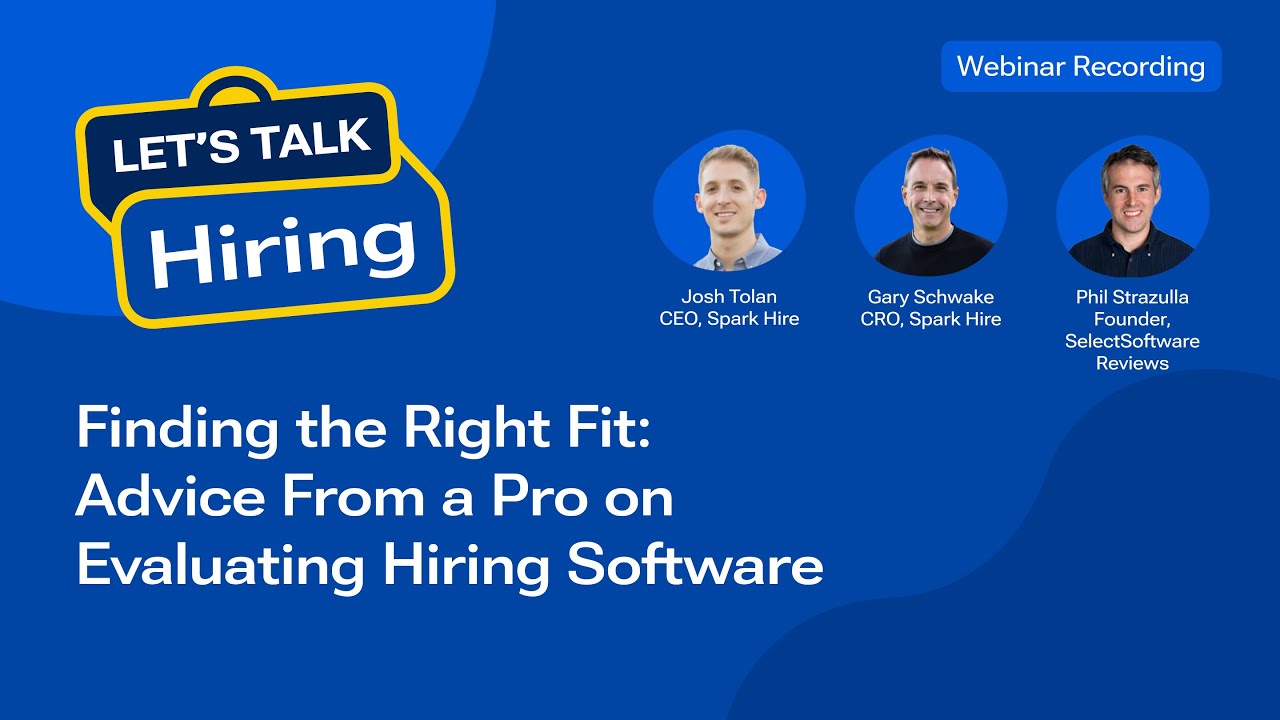
Finding the Right Fit: Advice from a Pro on Evaluating Hiring Software
Spark Hire's Josh Tolan and Gary Schwake talk hiring software evaluation with SelectSoftware Reviews' Phil Strazzulla, from ATS needs to KPIs.
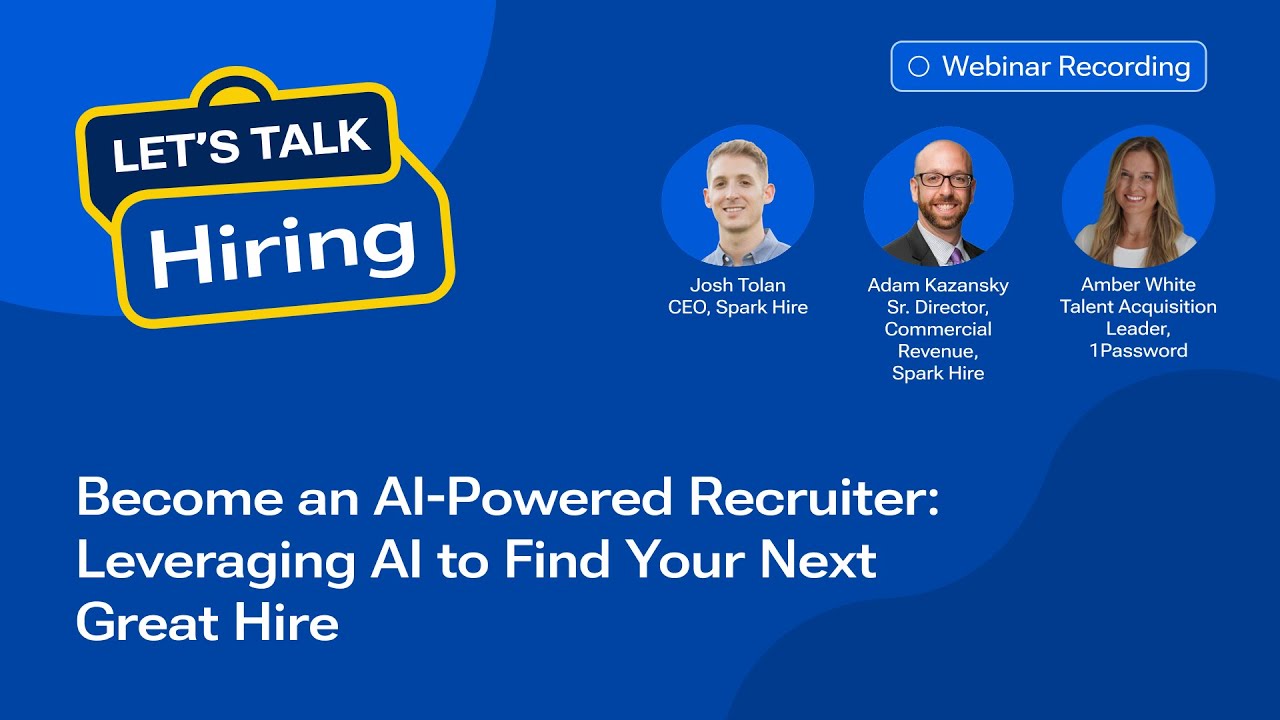
Become an AI Powered Recruiter: Leveraging AI to Find Your Next Great Hire
Spark Hire's Josh Tolan and Adam Kazansky talk with 1Password's Amber White about adopting AI responsibly in recruiting, without losing the human touch.