
What’s New in Spark Hire: From First Look to Final Notes with Spark Hire AI
August 19, 2026
Spark Hire leaders introduce Role-Aligned AI Video Review and AI Notetaker, two new features connecting screening and evaluation in one process.
Reviewing one-way video interviews takes time, and knowing where to start is half the battle. Staying present in a live interview while taking good notes is its own challenge.
In this customer webinar, Spark Hire leaders walk you through two new Spark Hire AI features built for exactly those moments:
- Role-Aligned AI Video Review in Spark Hire Meet
AI Notetaker in Spark Hire Recruit - Plus how they connect into one hiring process, from screening to evaluation.
All right. Well, let’s see. I think it’s been about a few minutes. We got a lot of people in here, so let’s just get started if that’s okay with Thank you for joining us for this fun beginning part of it of, you know where everyone’s from and some books and some tv shows and everything like that.
Just to start my name is Alicia I am the manager of the customer success team I’ve been at Spark Hire for about five years I love it here. I’m really excited to talk to you all today and I will let Adam introduce himself.
Hey everyone, I’m Adam Kaczanski. I’m the senior director of commercial revenue here at SparkHire. I oversee our enterprise teams.
Really excited for today’s webinar. This is a huge one that we’re running. I’ve been with SparkHire about three and a half years now, so I’m not quite up to where Alicia is, but getting there.
But really excited for today’s webinar and thank you all for joining. We have an amazing turnout so far and more people just keep joining in, which is great.
Awesome. Some housekeeping items that I know are topics of discussion and curiosity here. We will be recording this and sending this out to you all so you will get a copy of this e n f post email everything along those lines. We also have you know some moderators we have Vince and Sonya customer success managers here from Spark Hire both seniors both have been here for a long time and have a lot of wealth of knowledge they might be your customer success manager but if you have questions pop them in the chat and they will go ahead and answer them throughout the webinar as well as be popping in some resources some help some articles some polls some fun things like that. So no need to worry about those recordings, we’ll head out your way.
Excellent. Well, Alicia, why don’t we start a little bit with some background here.
So most importantly, what we’re here to do today is to share some really exciting features with everyone. Alicia, I’m gonna turn it over to you for a minute to get started as we anticipated. I’m having a little bit technical difficulty over here, so if you wanna jump on in.
No worries. So we’re really excited. What we’re gonna be talking about is what’s new in SparkHire. We’re gonna be, you know, going through and covering some really exciting updates today that we’re excited just to kinda walk you through and let you get to know.
We’re gonna focus on two AI powered updates that really ladder back to the core of what we do as a company, which is one, empower our users to perform their best in the recruiting roles, and two, enable hiring managers and recruiters to collaborate and work together, reduce friction, and effectively make the right hires together.
So that’s kind of like what we’re going be talking about here. So then let’s take a look at our agenda. Adam, I can keep going if you want me to here.
I can take over the agenda component. So obviously what we’re gonna be doing in our agenda, I was able to fix everything quite quickly. We’re We’re gonna be going over role aligned AI video review. We’re gonna be tackling our AI note taker and exciting upcoming feature.
Now the features that we’re covering today. Now what they’re gonna do is they’re gonna enable all of you to sort through one way video interviews more quickly. And based on specific role requirements, eliminate the countless hours spent scribbling down notes after watching or conducting an interview and staying more present with the candidates. So that’s what we’re gonna be focusing on here today.
Really curious, what are you most excited to see today? Let us know in the poll. We’re gonna be popping a poll in the chat and really would love to see what everyone is most interested in exploring today.
Okay. It looks like we have a nice range so far. A lot of all of you know, for all of it.
Okay. I like it. Definitely a combo.
Okay. Nice.
Alright. Really nice mix.
Yeah. I like that. Okay.
We have a little bit of everyone here for all of it. We have some folks here for Rollaligned AI video review and for note takers. So those are our top three, which is great. That’s exactly what we like to hear and why we’re here together.
Excellent. All right. Well, thank you all. So before we jump in, quick note, as you can see on your screen and as you’ll hear us talk about in the webinar, you’re gonna hear meet a lot.
You’re gonna hear recruit a lot. Now, SparkHire Meet and SparkHire Recruit are different product areas. Some of you have access to both. Some of you may only have access to one.
It could be based on your package or configuration or your role. If we cover something today that you do not currently see in your account and you wanna learn more, we’re gonna have another poll at the end of the webinar. We’ll drop it in the chat as well. And it’s your opportunity to let us know that you want us to reach out to you or a customer success manager to reach out to you to talk to you a little bit about some of these solutions that you may not presently have access to.
I’m excited. I think that’s gonna be perfect. Then also anything else you might wanna talk to them about?
Well, I think I’m gonna take it over from you right now Adam if that’s okay. We’re gonna jump right into that first part. Go for it. Scroll aligned AI video review.
This is something within Spark Hire Meet. So basically, what you wanna think about is when your one way video interview volume is incredibly high, the first challenge is knowing where to start to go ahead and review them. It’s kind of an overwhelming thought. How do I review all of these responses that have come in and figure out which candidates are going to be the most qualified to move on to that next step in my hiring process?
This is where role aligned AI video review comes in.
It helps reviewers prioritize submissions by using the job description, scorecard, interview questions, candidates responses to interview questions, to evaluate the alignment with your role.
So this is a really great thing I actually recently have been doing some hiring here at Spark Hire and so I have found that utilizing the video review and the role line video review has really allowed me to shorten this part of it and streamline it and really get those top folks that I needed to spend my most time on. So as a recruiter, it’s been really beneficial.
And I, you know, just prioritizing it has been amazing. I’d actually like to jump into the platform. So I’m gonna start sharing my screen so that way you folks can go ahead and see what I have going on and we can take a look at it and I can demo it for you all.
So what we’re seeing now and everyone let me see make sure everyone can see it beautiful What we’re seeing in here is the first assessments page. So this is when I first log into Spark Hire. This is what I’m going to see.
Now I want to show you where you can turn on that AI notetaker. We’re going to come on over. You have a few different places within your settings or your jobs management.
And go to that top right hand corner of that job settings.
And here, this is where I can toggle on all of the different pieces at a global level. The thing that I also really love about the role aligned AI video review is that I can do all of the nitty gritty details, the job description, the scorecard at a job level, but I do need to turn it on in my account at this global level here. So I’m coming down and I can see right here under one way video interview, AI video review. And I’m going to go ahead and have that toggled on. Once I toggle that on, I’m gonna wanna make sure that everything’s good to go, hit that save button there, and then I’ll be able to utilize it.
So now let’s take a look at what I can do in there, what pieces go into it, and, you know, how I can curate and personalize those for my role.
Today, we’re gonna go ahead and take a look at a actually, we’ll just do our most recently interviewed.
We’re gonna look at our sales executive role because that’s the one that we’ve currently been utilizing. I’m going to hit view on the job.
And then I’m gonna come over to my assessments tab right here. This is where I’m going to really create, curate it and hone it in on what I need to go ahead and see is this candidate the best fit for me and allow it to utilize the AI just to go ahead and, you know, categorize those folks right for me to then prioritize them.
So I’m coming down I see AI video review. Here are all of the pieces that are part of that role alignment there. So the core factors we have these key competencies and personality traits. I can choose if I want them to be a must have, nice to have, or not required. Now the great thing about it too is if I do this drop down I can see what the AI looks for. You’re going to see this in all of the pieces that we’re going to look at as well as that feedback that you’re getting back from the AI. It’ll tell you what it was looking for and why that basically happened.
So I can then choose you know where I want this to be at for each individual competency and personalities, personal qualities, and then hit save.
Now that’s going to update that there.
And now we have a scorecard, so rate the job scorecard and the job requirements per the job description. So this is why it’s really important when you’re creating your job description that you’re putting in this details page, when you’re first making this role, or within Recruit and you’re making it and it’s in the integration over here, to have a really well thought out job description, to update it every time that you’re coming in and you’re opening up a new position.
Because when you’re doing that, you’re keeping it at that, you know, most recent, you’re having it exactly what you’re looking for, and you’re really able to showcase these are the things and the expectations that I have and what I’m looking for out of this person.
And we’re going go ahead and we’re going to take a look at the scorecard and that’s going to go and that’s going to allow us to select what traits are most important for us in this candidate.
The questions, this allows us to rate the questions that have a clear expected response based on that job description. So did the candidate respond to this question in a way that would align with what I’m looking for via the job description?
And then takeaways. The role aligned AI video review can go ahead and provide pros, cons, as well as things to maybe have some further review to let you think about for that next step in the process. You know, do I wanna talk about this in my live interview with the candidate? Some pieces there to kinda consider and consider as a team to discuss internally.
Now with this, what I wanna do is I wanna make sure to show you all a little bit of, you know, that scorecard and what to take a look at here.
So in that scorecard, you’re gonna scroll down.
This is where you can go ahead and see that you can make a job specific scorecard. We can view this, we can go ahead and create a new one, everyone will have some basic ones in there when you first get started.
The great thing about these scorecards is it allows you to select a trait that you’re looking for, so think like teamwork, know sales executive skills, know outline things you know different technologies everything along those lines and then more details underneath it. Looking for someone with three to five years of experience in this kind of position can utilize very specific tools for example you know SparkHire things like that. And then it will pull those in those responses and in that role aligned AI video review. So let’s take an example of what it looks like for a completed assessment.
I already you know again everyone always make sure you save every time you go ahead and change anything in there just to make sure you have it all ready to go.
So I’m on my assessments page here now I can go ahead and in order to help myself which is something I’ve done as a recruiter very recently, is I actually am going to go ahead and make my AI video review tell me the strongest first, and then it can see the moderate and the weak. Now this is going to allow me to prioritize, I need to start here and then work my way down, because these are going to be aligned with what I put in that job description, what I put for that role in AI video review.
For example today Right out of the gate I’m just gonna say the prioritization is incredible because what you don’t wanna happen is you’re going through candidates that may not hit the mark while this really strong candidate is waiting, waiting, and probably applying to other jobs and doing other interviews.
So you get to go to those really strong candidates first. So I love that ability to sort.
It’s my favorite piece about it because you can also then go ahead and you know have it just be very specific jobs. Like for us today, for our example, we’re just looking at the sales executive role. So that would have allowed me to go ahead and just see my own individual position. Over here, I can see it too, and just jump into that, and then go ahead and, you know, do it this direction. So it’s really, you know, streamlines it and brings it down and funnels it for you.
So for today, we’re actually going to utilize Alexa Bond here and take a look at it. I’m going to click on her one way. So it brings me into her page here, and this is actually going to bring me into her candidate profile. I actually want to see her assessment though, so we’re going to hit watch and evaluate.
And as you can see here, Alexa Von and I look very similar. It’s kind of crazy how that happens. I don’t know.
But what we’re going to take a look at is that team evaluation here, and this is where that AI video review is going to show up. And these are all those pieces that we had decided in that job that we wanted the role alignment to look at. So at the top we’re seeing here’s those takeaways that it provided for us. Some pros, they demonstrated strong teamwork, strong organization, some concerns, lack specific examples. We have some further review, and these are some things to go ahead and you know consider for that next step. If I want to move this person on, I might want to address these during my live interview.
Here’s the AI summary, which is how this goes ahead and builds it off of it because you have those transcripts. The AI summary comes from those transcripts, and the AI video review then also utilizes both of those pieces to go ahead and determine it.
Let’s take a look at those questions. It has gone through that roll out AI video review and scored each individual question on your behalf there. Now you might be saying, Alicia, why does one of those questions not have any star ratings here?
And that is because when you click on it you can see A, what does the AI look for?
But the key insight here is that the response was personal but didn’t connect it to the interpersonal skills of the role. So I answered the question but I didn’t have do anything that related to the role or how it might help me. I just kept it very strictly personal and went that direction. So it’s not going to have anything really to go off because it’s not going to relate. So it doesn’t say you know what that was a zero out of five star rating there.
Now let’s talk about that scorecard.
Here, these are going to be that scorecard that we created, which is going to have those traits that we’re looking for out of the ideal candidate for us for this role.
In those scorecard pieces, like I mentioned, this is the actual description that I provided it for that sales experience. So that is what the AI is looking for.
As you can see here, these ones with the no stars, the interview did not meaningfully assess that trait. So this is a really great time to stop and think about two different things. One, is my scorecard accurate based on what I’m actually looking for? Does it relate to my job description?
And b, does my question that I provide to the candidate allow me to actually see these things? I might need to revisit my questions to truly say hey I need to get this kind of information out of the candidate for this interview so maybe I do need to update my questions that way you know because this is a really important trait for me. So we may need to revisit my questions that I’m asking the candidate to make sure that they align and I actually get the pieces that I’m looking for from this one way video interview so it’s definitely something to think about as you’re kind of going forward there and you’re seeing these pieces it’s a great time to stop and reevaluate what you have going on and make some edits there’s nothing wrong with doing that.
And then here we have core factors those are those competencies we looked at and those personal qualities now you might be saying Alicia they’re strong in all single one of those pieces there but when you look at it you had some zero out of five stars here a three out of five so that’s going to go ahead and all over give me a score of a moderate you know evaluation which means that you know this person isn’t necessarily going to be doing a bad job at the role but maybe I need to revisit a few of these topics and I need to learn a little bit more about them if I move them on to that next step, which is going to be that live interview. So I think the thing that also is great about this is that this connects recruit and meet in a really nice way.
The one way videos are part of a broader workflow and so with that Recruit piece of it, it allows me then to step on to that next step which is going to be that live interview there. So in order to learn a little bit more about this, we’re gonna go ahead and drop a help center article in the chat for you all. It contains a lot of great information, how to utilize this feature, and everything that you might have any questions on that there.
So like I mentioned, we’ve now given this candidate a closer look and we’re looking to move him out of that live interview you know in that live interview we need to make sure we’re staying present we’re capturing that right information and we’re turning this into a conversation with a useful evaluation feedback So with that, I’m going to move us on to Adam to talk about those next pieces and how you can achieve that.
Excellent. Thank you so much, Alicia. So what we’re now going to talk about is AI notetaker. Now I want us all to, well, I was gonna say close our eyes and imagine, but you need to keep your eyes open while we do this.
So keep your eyes open and imagine, you know, think about the interviews you have. You’re trying to listen to the candidate. You’re trying to build rapport, ask good follow-up questions, capture detailed notes, maintain eye contact. You’re doing this all at the same time.
Staying present in an interview is really hard to do. And we’ve all been candidates and we know on the candidate side, we’re always a little concerned when we see the interviewer write something down. We’re like, Oh no, what are they writing? Is this a good thing I said or a bad thing I said?
So as an interviewer, if you don’t take notes, you might miss key candidate observations, but you still wanna give that candidate a really good experience during So the that’s where the new note taker helps interviewers. It solves that challenge. Now hiring teams can stay present in the interview, really focus on that interaction.
The notetaker can be added to interviews held on Zoom, which obviously you know is a part of Recruit, comes with the Recruit offering. You can also use it with Teams and Google Meet and it joins as a participant. Now AI notetaker provides you with a summary. It organizes the interview into role relevant topics, which I’m absolutely going to show you.
And any note that the AI notetaker takes is editable. You can accept it. You can reject it. As we Oh, nice.
Yeah. Whenever we talk about AI features and as you saw with Alicia, the human owns the process. You’re always in the loop. The AI notetaker does not make hiring recommendations, it doesn’t classify candidate, and it doesn’t automatically add notes or ratings.
That is really up to you. So what I’m going to do now is we’re gonna I’m gonna be flipping a little bit. I’m gonna be sharing my screen and showing you recruit, and then I’m gonna show you a little bit of a deck and then back to recruit. So I’m now going to share my screen.
So let’s stop with that and let’s go into I think that’s like while you’re doing that, I think that’s a big piece that I really like about all of the AI features within Spark Hire is the fact that it allows you to remain in control.
Like as the human part of it, need to remain in control while assisting you and streamlining it for you. I think that’s like my biggest favorite part of it all as a recruiter too, someone who utilizes it to recruit myself.
Totally, totally. Okay. So we’re in recruit and the first thing we need to do is turn on AI notetaker. So we’re going to click on apps and you’ll see AI notetaker right here and you’ll click into that and you’ll turn it on. It can only be turned on in an owner and admin level. So as with all of our AI features that many of you have already experienced, just recruiters logging in or a hiring manager logging in can’t just go and turn on AI if it’s off for the company for whatever reason.
Now you also see it says beta here and we will talk about release timelines towards the end of the webinar here today. Alicia will be diving into that. So don’t worry, we’re absolutely going to cover that. Now, after I click AI notetaker, I’m going to go back to hiring and I’m just gonna pick any job for now.
I’m gonna go to the position and I’m gonna go click on settings. And the reason why I’m going here is because you can choose if there’s a role you do not wanna use the AI notetaker for. Maybe there can’t even, you know, maybe it’s a confidential role or maybe it’s you’re interviewing for a new CEO for your company and you know, there’s a lack of comfort in having a notetaker present. Whatever the reasoning is, we give you that option because again, we like to give you the control to make the decisions on your own.
Okay, now let’s go to an actual role here. So, I wanna go back to our candidate who looks strikingly similar to Alicia. We’re gonna go to Alexa.
Wild how that happens.
Here we go. Here is Alexa. So, Alexa has already gone through AI resume review. She’s already had that one way which we saw.
And now it’s time for the phone screen. So I have sent Alexa the invite to join. Alexa, it’s time for the interview. And Alexa is now ready to join that interview as am I.
So what I’m going to do now is I am going to stop sharing my screen and I’m gonna go back into our deck.
And I’m gonna go to the next slide.
Because the next thing that Alexa will see when she goes to log in to do the interview is a choice. Does she wanna continue with recording or continue without it? We all know that there are candidates that don’t feel comfortable having it recorded. So we need to give them that option to do so. Now let’s say Alexa continues with the recording.
When we move on to the next slide, you’ll see it says SparkHire AI notetaker recording. It’s key here to also note that we didn’t give our AI notetaker a nickname or anything like that. The reason why is, yeah, even when the candidate has accepted, we want that candidate to know in the interview, yes, this is recording the conversation. And that way, they ask, who’s AI, what’s AI notetaker or what happens with the recording?
We can be honest about it. And then while that interview is going on, AI notetaker, again, looks like a participant. You know, I’m sure many of you have your own independent notetaker for your internal meetings at the company. Right.
And you’ll see it joins it and looks the exact same way.
Okay. So now Alexa and I have completed our interview. So now I’m gonna go back into recruit. Let’s see what those results look like.
Okay. So we’re now back here in recruit. So the interview is completed and you’re also gonna see here evaluation due five days ago. I left that there for a reason. I’m gonna talk about that in a little bit, but let’s evaluate that candidate.
So what you’re going to see here, I wanna first draw your attention to the right hand side.
What AI notetaker does is it takes everything that the candidate said, the relevant components of that conversation, and it breaks it into categories. So that and topics so that you can easily find what you’re looking for based on what the candidate told you. You also have the ability to copy this summary and share it internally. So rather than write all these notes and email it to your colleagues, email it to the hiring manager, just click here and share.
It’s that easy. Now when we go to the left hand side, a familiar screen for a lot of us, we have our pros and we have our cons. Now, the first thing again, is you could turn the suggestions off. Let’s say you’re you say, you know what?
I loved having the summary and that’s all I need, then wonderful. Go with that.
Yeah.
But if you want those suggestions, they’re there.
And what you’ll see is again a ton of flexibility in the functionality. So let’s say I see the suggestion pros, tenure stability, Alexa has experience with CRM and using Outreach, so I’m going to add it. I also have the ability then to make any edits or if I just wanna delete one of them, I have the ability to do that. Let’s say I changed my mind and I don’t want it. But then later I say, there was something that the AI caught and I don’t remember and I wanna put it back in, click on it again and it reappears. So you don’t lose anything. And then same with our concerns.
And then when I scroll down, further review. I one of the most challenging things I’ve had as an interviewer is remembering not just to take notes on everything they said, to take notes on what they didn’t say.
To do with that and where to go with it. That is the thing. Right?
Absolutely. So here we’ll give you suggested further areas for review. And again, you have that functionality to add it, get rid of it. And let’s say you accidentally get rid of it, you could click on the icon again and it’ll reappear and then determine what you need to add.
And then finally in this area, what we have, let’s you know what? And I’m gonna add all of it because I love it all. So I’m adding it all. Now we see here for the scorecard, the AI notetaker is going to give a suggested score for your scorecard and the reasoning why the AI note taker gave the candidate that score.
And again, it’s up to me and I could say, you know what? I actually didn’t agree with a four. I thought it was a three here. And I have the ability to do that.
And I can add it across the board.
And I wanna get down to here to tell a joke.
Now there’s no stars here. Why? Because during the interview, I didn’t ask Alexa to tell me a joke. So that remains blank. Now when I’m done adding all of these, I could click, this is a strong hire, I really like Alexa, especially since she reminds me so much of my colleague, and now I’m going to submit.
And after I submit, I scroll down to evaluation, and along with everything else that we have here, the one way video submission, the AI resume review notes, I now have all of the notes that the suggestions that I accepted and everything I’ve added to that in that candidate’s profile under the evaluation.
Okay.
I just used this recently and are hiring too. And I have to tell everyone, like, I this is a game changer for me and for so many folks. Just because the fact that now I don’t have to sit there and go and do that back and forth like Adam was saying, my candidates felt incredibly involved and like I was you know paying the utmost attention to them and for me it actually helped me pick up more that I was able to add into those AI notes too that it provided. So it allowed me to really even take it to the next level which I kind of felt very beneficial and it also reduced my time especially as I’m getting ready to evaluate afterwards. But I know you’re about to talk about the evaluations and the dates there.
Yes, the date. So now the date is gone because we’re onto the next stage but you saw it due five days ago and then we left that there on purpose.
Okay, little story quickly. A few companies ago, I had a recruiter get very angry at me and that was because I would do interviews and then I wouldn’t give my feedback for about three to four days. I’ve changed my way so everyone here please don’t be mad, but I did change my ways but it was pretty bad. I had a large team, was interviewing for a lot of roles and it was really difficult to scribble down the notes right after the interview and get those over to the recruiter.
We know that hiring managers have that challenge and the beauty of AI note taker is those notes don’t go away. So if the hiring manager does an interview and then right after the interview, they log off vacation for four days. When they come back, they don’t have to worry about what they remembered and forgot because the AI note takers suggestions and notes are still sitting there waiting for them to review and add to the candidate. So that’s why I left that there because it’s we always want notes urgently to move those candidates forward but we have to live in the real world where it’s not always going to happen.
And the longer we wait to submit the notes, the more we forget an AI notetaker never forgets.
I think also like if you have I don’t know about you, but when I, you know, am recruiting, I have back to back interviews. Like, have a time block that I utilize to schedule those and I do, you know, ten to two. And so sometimes I’m interviewed in interviews back to back. So at the end of the time even if it’s four hours later or four days later they’re like you’re then I can just add them back in and I cannot be worried about that and have that jog my memory too.
Absolutely. So I’m gonna throw out a quick poll quickly if you know, did you like what you saw in Recruit? Do you want more info? Let us know and we are happy to reach out. Okay. So with that, I’m now going to pivot back to Alicia to kinda put it all together for us.
If you don’t mind leaving your screen up, that actually be incredibly helpful I think for this.
Absolutely.
I think the important thing to think about here is how do these all go ahead and work together? And I saw I just wanna make sure that I saw someone ask for a, link. I think that Vince or someone will pop it in there. Great.
We have a health center going in there. But going back to what I was saying, how does this all work together? So now that we’ve seen both of these features individually, let’s take a look at that whole workflow right there. And at the very beginning, you have that AI resume review, which we’ve talked about at a previous webinar.
But today, then you then go on to that one way video interview at that next step immediately.
Now with that role aligned AI video review it helps your team efficiently prioritize those candidates and you know cut down the time there to keep that hiring process moving and allows them to move on to that live interview which is this next step here And now AI Notetaker will help those interviewers stay focused and then capture everything they need during that conversation to then move them on to that next step. This is just going to shorten your hiring process and your time in between each stage so dramatically, it’s going be incredibly beneficial for your team to really reduce that. But also keeping it consistent for candidates and allow you to go ahead and keep your team in control, that human aspect, really making sure that they are the ones making those executive decisions in the end there.
So one final note before I go ahead and turn it over to Adam to give a little sneak peek of what we have coming up, another amazing AI supported feature that we’ve been working on.
You know, I know a big question that everyone’s been asking is when are we going ahead and I can’t find these features in there, when are they going to be available? Right now, role aligned AI video review is in beta and will be available to customers within the next few weeks.
AI Notetaker is being gradually rolled out to customers. Feedback has been really amazing so far and we expect that all customers will be giving access within the next two months. So just be on the lookout for that and if you have specific questions, definitely ask your CSM. Another And great thing when it comes to that feedback as we looked at pieces in the platform you saw those little thumbs up in the top and bottom. Do feel free to go ahead and provide if you think that AI matched that a result really well or there’s an area of opportunity give it a thumbs up or a thumbs down. Our product team does actually look at those pieces that really does help us.
So now I will pass it back to you, Adam, so we can talk about that little sneak peek we have going on.
Absolutely. So again, I’m gonna stop sharing and I’m gonna go back to our deck. Alright.
Okay.
AI generated custom behavioral profile. So before I move the slide forward.
So we saw a few screens back, Spark Hire Meet and Recruit. As part of Meet, we have the predictive behavioral assessment. This is a tool used to evaluate a candidate’s potential for success in specific job roles. Spark Kires predictive behavioral assessment provides deeper insights into candidates behavioral competencies, skills, and motivations, helping you make the right hiring decision.
Now, started with predictive behavioral assessment is now faster and easier. So Alicia and I have spoken to a number of customers when they’ve started to use predictive behavioral assessment.
And the challenge that they always have is, I don’t know what profile you have. We have dozens and dozens of profiles that you can select from standardized profiles. I don’t know which one is best aligned for the role that I’m hiring for. Sometimes I feel like my role is really unique.
Well, we wanted to solve that and remove that barrier altogether. So, we now have AI generated behavioral profiles. So the beauty is when you put that job description into Meet and you wanna create the behavioral profile, what it’s going to do is one of two things. If there is a standardized profile, one that we’ve already created in the past that aligns perfectly with the role that you’re hiring for.
We’re gonna find that one and we’re gonna suggest that one to you. And then what you’ll see here is you can just use that standardized profile as is, or you could go in and edit it. So let’s say you like four out of the five competencies here, but you wanna change one of them, then create a custom built built off of the standardized profile.
I love this part of it. And I wanna say like, so this is something that like Adam said, lot of our customers that is the beginning hump like how do I get over that hump of what competencies do I use here.
But by having this you can see at the very bottom there too you can also edit it. So this is not only showing you why this applies to this role but it also allows me to curate it even more. So it’s giving me that just really nice starting place and as a recruiter this is something that you know it’s going to kind of help me align there at the very beginning or the very end of the process of like what is this person going to look like in this role are they going to be able to succeed And it’s letting me really take that further.
I love the fact that it’s building it off of a custom one at times too. I really enjoy that part because then I can really make it personalized for that.
Absolutely.
So now let’s say that the there we don’t have a standardized profile that does align with your job description. Well, AI the AI is going to generate a profile that does align with your job description. And as you’ll see here from the drop downs in the grade area that it will give you the reasoning why it feels like this competency applies. And then again, you can either use that custom profile in its entirety or use that as a foundation and then edit it as well.
Recognize it probably.
Absolutely. So this makes it ready to use without those barriers and makes And if you wanna know when this is coming out, I recommend keeping an eye on our roadmap. So we’ve already put it in there, but we’re happy to put it in there again, Canny, which is where we make our product roadmap map public to all of our customers. So you can see everything that recently went live, everything that’s right around the corner and beyond. We are working hard to get you new features and functionality, and we love to be transparent about it so we can get your feedback.
With that, I’m gonna kick it back over to Alicia to close this out.
Yeah. So basically, you know, this is the overall of everything we have going on right now. Not everything. This is just these two pieces, but there’s a lot.
Obviously, you can see on that road map that’s in the chat there. But we really just appreciate everyone for taking the opportunity to join us today, getting to know these pieces and really, you know, see where these new features within SparkHire can be helpful for you in your hiring process. The common thread is, you don’t make a hiring process that creates stronger signals without asking your team to choose between speed and quality to really go ahead and utilize the AI to your benefit while keeping the human touch included there and collaborate and elaborate. So with that again we’re going to pop that poll in the chat let us know if you want your CSM to reach out about anything keep that conversation going about SparkHire it doesn’t just have to be about these features it can be about anything you’d like And we’re excited to go ahead and connect with you all.
If there’s any questions not answered, we will reach out personally. You will all get this recording and we’re excited to see you next month where we can go ahead and walk through some more great features and additions coming out to SparkHire.
You so much, everyone. We appreciate you.
Thank you for joining today.
Joining. See you again soon.
We’ll see you all soon.
More Webinars
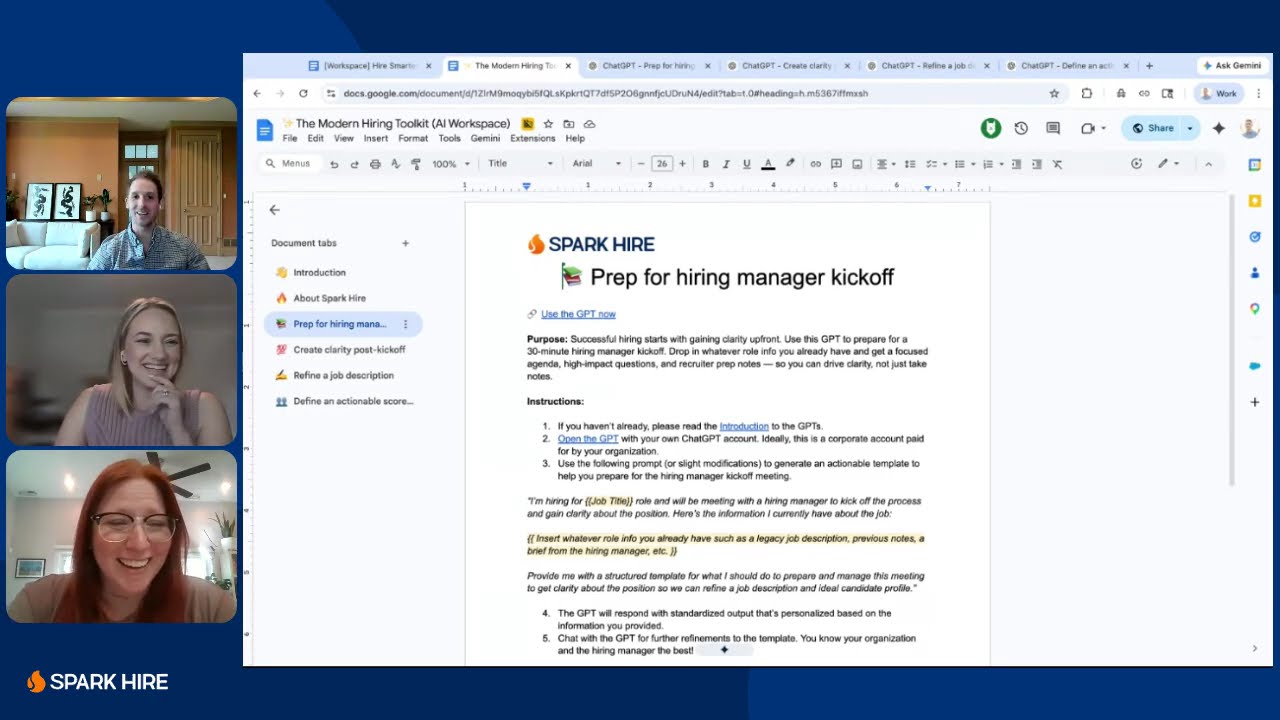
Hire Smarter in 30: A Live Hiring Sprint with Custom GPTs
Vague job descriptions and rushed kickoffs cause most of your hiring headaches. Watch a live, 30-minute demo of custom GPTs built for hiring teams.
Hiring in the Age of AI: Ethics, Authenticity, and Tech
AI makes hiring faster, but it also makes a polished answer easier to fake. Watch hiring experts on using AI for scale without losing human judgment.
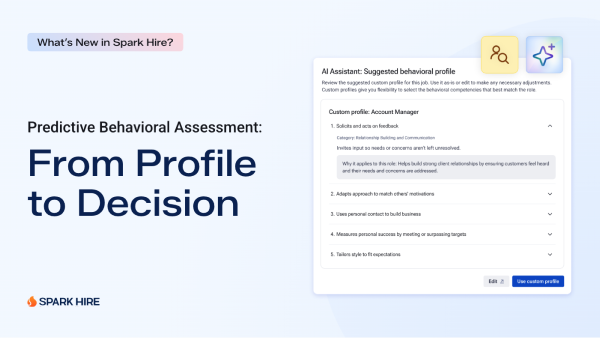
What’s New in Spark Hire: Assess the Behaviors That Predict Success
See Spark Hire’s Predictive Behavioral Assessment in action including the creation of a behavioral profile using AI based on the job description.