
What’s New in Spark Hire: From Application to Shortlist with Spark Hire AI
May 25, 2026
Sorting applications takes time lean HR and TA teams don't have. Watch Spark Hire AI narrow a stack to a shortlist, while humans still make the call.
Screening a stack of applications takes time lean HR and TA teams don’t have. In this live demo, Spark Hire leaders, Adam Kazansky and Alisha Garlow, walk through a Spark Hire AI-assisted hiring workflow, from application to shortlist, using a marketing manager role as the working example.
Some of the things covered include:
- How knockout questions filter out candidates who don’t meet non-negotiable requirements before human review begins.
- How AI Resume Review automatically categorizes the remaining applicants as strong, good, partial, or low fits based on the specific requirements for the role.
- How AI Video Review provides automatic transcriptions, AI-generated summaries, and competency evaluations that help reviewers know where to start before they watch a single video.
- The significance of humans still making every decision, while AI gets teams there faster and with better information.
A teaser of what’s coming next on Spark Hire’s product roadmap, including AI Notetaker for one-on-one interviews and AI Resume Review Knockout.
Welcome. We will give everyone a few minutes to jump on in before we get started there.
In the meantime, we would love to know where everyone is joining us from today.
Oh, I like it. We got a lot of different places. I’m from Chicago.
And I’m from New York. Well, like about twenty five minutes north of New York City.
You’re so close. It’s a nice distance I would say.
It’s a good distance between me and you. It means you won’t be motivated to visit.
Never know, Upstate New York, pretty beautiful, fall is coming.
You might have a house guest soon.
All right, well let’s see. It looks like we have a really good number of people trickling in here. I almost give it another like thirty seconds or so and let’s get started.
All right, we got Tel Aviv, we got Florida, Bulgaria, DC. I love it. The Range. We got some NYC people in here. A few Adam, right there. There you go.
All right.
Well, then if we want to go ahead and get started, I will let’s jump in. Let’s introductions. Adam, do you want to start?
Absolutely, happy to. So hello everyone. Pleasure to see all you people joining today’s webinar and what we’re going to be covering. My name is Adam Kaczanski.
I’m the senior director of commercial revenue here at SparkHire. So I oversee our enterprise teams at SparkHire. I’ve been with the company a little bit over three years and I’m incredibly excited for today’s session. Over to you, Alicia.
Wonderful. And my name is Alicia. I am the manager of the customer success scale team here at SparkHire. I’ve been with SparkHire for about five years, so I’ve definitely been all over the place rule wise, but I am very excited about this.
I work with our customer success team, and I’m really excited about AI and how we’re integrating it into all of our different pieces here at SparkHire. So what I’d like to do is just kind of give you all a little bit of a rundown on what we’re going to be talking about today during our call. So obviously we’re talking about AI right, So it’s not just about AI, it’s about how to solve the problem. Applicant volume is up, resumes look alike, the phone screen model doesn’t necessarily work for scale, know roles, you’re having a high volume of pieces there.
So how can this help streamline and really reduce that time spent per candidate?
Absolutely. So what we’re going to be doing today is we’re going to walk you through a real screening workflow, start to finish using SparkHire AI. By the end, you’ll have a really clear picture of how this works in practice and where it fits into your process. And what we’ll be focusing on are those first few steps of that workflow process, getting you up to, let’s say, the interview stage.
Which is so exciting. So if you have any questions throughout this, definitely go ahead and make sure to just pop them in that chat.
We have Anna and Ori and myself that are going be monitoring it. One thing I did want to mention though is for any questions about AI privacy or security please go to our trust center to get our AI fact sheet. That has a lot of information there for you, so we have a lot to share with you throughout the next thirty minutes. So don’t worry, we will also go ahead and make sure that we share this recording with you all at the end. And I also just put that Trust Center link right there in the chat for everyone, so feel free to jump right in there. And now let’s go ahead and let’s start you, you know, jump in. I will pass the baton on over to Adam.
Thank you very much. And thanks again, everyone. So we’re here to talk about AI and how AI is going to help you in the recruiting process.
Now importantly, why we’re talking about this today is what we see is a giant influx of candidates applying for roles. Roles that they’re a fit for, roles that maybe they’re not a fit for, but they are leveraging AI to mass apply. So we need tools that can help us filter some of those candidates out so we could focus on the best fit. And that’s really where SparkHire AI comes into play.
But before that even happens, one of the first things that we wanna do before the AI does any work is start with the right structure. So what we’re actually gonna start out with is knockout questions because really any workflow should start out with a questionnaire with knockout questions. So I’m going to share my screen. We’re gonna dive into a role that we’ve created for today and show you how that works and then lead right into AI. So I’m going to share.
Beautiful.
And Alicia, let me know when you can see it.
Let’s see, it’s going. It’s thinking about it and we can see it.
Beautiful. All right, great.
So let’s go to the role that we’ve created for today. And that role is the marketing manager. Now, I click on marketing manager and I go to the workflow, you know, we’re going to be spending a lot of time here today in this workflow. But before we dive into that workflow, what I wanna do is I wanna go to my settings because what I need to implement first is that questionnaire with the knockout questions.
Because what we wanna do is remove candidates from this workflow that don’t mean basic requirements, the non negotiable. So let’s say for example, you need somebody who can come into the office three days a week. You don’t wanna review their resume, have a phone screen. And then all of a sudden on the interview after you’ve already invested time in this candidate and deprioritized maybe other great candidates, just to learn that one of those key critical components that you could have learned with a questionnaire, basically rules that candidate out.
So the beauty of SparkHire is that with knockout questions, we could still use AI. And you’ll see here that for questionnaires, we could generate a questionnaire with AI. Now, I already did that in preparation for today because I wanted to also show you the experience of when a candidate is rejected due to not aligning with those bare essentials. So, you’ll see here we have the marketing manager, a pre screening questionnaire.
I’m actually gonna click edit, so it’ll take me to, that questionnaire. And this questionnaire was created by AI. I know nothing about marketing. I know nothing about marketing managers, so there’s no way I’m creating this questionnaire.
You’ll see AI starts the beginning. It’s so helpful.
Exactly. Exactly. So you’ll see it added a series of questions. And just to quickly choose one here, you’ll see that you will have a lot of different options of how those questions get answered.
But I’m going to go to the bottom and I’m gonna go to the example that I gave, which is the candidate or the person that we hire needing to be able to come to the office three days a week. So when I click on it, I’ve chosen single choice. And you’ll see that we have two options, yes or no. Yes, they could come to the office three days a week or no.
Now for no, we’ve chosen reject, and we’ve made that question required. And what that means is if that candidate answers no, that candidate will be rejected, and they won’t go through AI resume review, they won’t get a one way video interview, you won’t be reviewing their resume ultimately. But what happens is still a good journey for the candidate. And what I mean by that is if the candidate answers no, they’re not gonna get a rejection email three seconds after they complete the questionnaire, which they still are able to do.
You can always complete a questionnaire even if you answer a question that would result in being, let’s say, quote unquote knocked out. You’ll still complete it. But we delay the email to the candidate, thanking them for their interest and letting them know we’re moving forward with other candidates. I’ll even show you what that looks like.
So, what we’re gonna do here is let me save it, because I don’t wanna make any changes that may impact any other candidates. And I’m going to go back to the role that we’re hiring for. And I’m going to go over to my candidates, and I’m gonna look at Lewis.
So unfortunately, Lewis was rejected. Now, when I click on Lewis and I scroll down to our activity area for that candidate, you’ll see here that fifteen days ago, Lewis was rejected, and he was rejected because he answered no to our knockout question. But what you’ll also see is even though this happened fifteen days ago, the email to Lewis thanking him for his time went out fourteen days ago. Again, creating that positive candidate experience and not letting them feel like they’re just getting rejected automatically without even having a chance. And that’s really important.
I love that too because it’s so taking the candidate experience into consideration and being able to go ahead and have it and it sends it out at you know not 09:00 on the dot it’s 09:03 things like that and so it really does make sure that candidates are feeling really thought of and individualized which is absolutely great.
Yeah. So think about, you know, that all those candidates applying before you review a resume or anything that it’s already been filtered down a significant amount, again, making your life easier and finding the best fits quicker.
So AI resume review then ultimately becomes more valuable and more useful when the pool is, let’s say streamlined a little bit more and filtered. So knockout questions, I strongly encourage everyone to deploy them.
Anybody have any one initial question already.
Wonderful. We do. Are we able to use AI for creating these questionnaires?
Absolutely. So, maybe I covered that a little too quickly, so I’ll slow down. I do talk very quickly as you will all learn as we continue over the next twenty minutes or so. But again, if we go to settings, you’ll see questionnaire, and you’ll see right here a prompt to generate.
That is where the AI looks at the job title, and if you have job description information and other metadata in that role and within your instance, it looks at that information and will generate a questionnaire based, you know, primarily on the job title more than anything else and create that questionnaire for you. And then you can go in and make any edits, remove questions, add questions, change the verbiage in a question. Nothing is ever locked in any of the AI we show you today. Nothing is ever locked. You can always make your own edits after the AI generates any content for you. But an excellent, excellent question.
So with that, let’s move on now to AI resume review. Everybody’s probably like, Adam, okay. AI resume review, let’s go, let’s go.
Hey, it’s a really exciting thing.
So, resume review. Let’s go back to our job here. So, I’m in the workflow and AI resume review. So thinking about we’ve used knockout questions and we filtered it down.
I am sure every single person who’s a recruiter on this call knows that you’re still getting 100, 200, 300 candidates applying for jobs. Like the volumes that we’re seeing and the feedback we’re getting from recruiters when we talk to them is higher than it’s ever been. So before we start figuring out any next steps, let’s let AI resume review do some of that work. So I’ve incorporated AI resume review as the first step in the process here. Now, what you’ll see here is that we have the ability for strong, good, partial and low fits. What that means is the AI resume review is going to take a look at the candidate’s resume and measure that up against the requirements for the role, which I’m going to show you momentarily. And let you know whether based on the candidate’s resume up against the requirements, whether that candidate is a strong, good, partial or low fit for the role.
Now you’ll see here for strong and good fit, what we have is advanced to the next step. And what that means is if the AI resume review basically gives you a thumbs up, that candidate can automatically move to that next step, whatever it is, Whether it’s a one way video interview, an interview scheduling, a phone screen, whatever it may be. But let’s say for partial and low fits, we don’t want that candidate to move to the next stage. We need to do a review of that resume. Then we keep them here. And what it does is after it reviews the candidate’s resume and puts them as a partial or low fit, it then creates a new step for you to review the resume because SparkHire never ever will reject a candidate based on AI resume review. That always, always comes from the recruiter.
And I’m going to move it over to Alicia to talk about that because I know she likes She already knows I’m just ready to talk about it.
So we actually just did a hiring process here at SparkHire. Had a role I needed to fill and I cannot shoot through the roof how much I love AI resume review. This helps me shortlist this group of candidates so much and like you know we’re talking about right now and like Adam’s gonna get into even more is we have a high volume of applicants. I know we mentioned at the beginning and so this allowing it to go ahead and advance those strong fits and good fits onto that next step immediately for me and automatically, which for us was the one way video interview, which you’ll see we’ll talk about in a second as well, was so beneficial.
It reduced my time and it shortlisted that group immediately. I also loved the fact that I still had that human touch. So I was able to still individually review those partial fits, those low fits, and just see if there is any, you know, diamonds in the rough for people that I was still really curious about, and then move them on. So the fact that it also didn’t auto reject them was super beneficial.
And so it just the streamline and the shortlisting of it really, really, really narrowed that down to the best candidate so much faster.
Absolutely. And let’s talk about those requirements for a moment. So I’m going to click on description. Now, again, here’s another area where we can let AI do some work for us.
So if you need a job description, if you need if yours is old and stale and needs a bit of a refresh, just click the AI assistant and it’ll generate a new job description and requirements for you. You can have it rewrite or just accept a portion of it. But we already have great content. I don’t wanna change it.
So you’ll see our description here. You’ll see requirements, but you’ll also see internal requirements as well. Now, what does this mean? Requirements are what makes it onto the job boards.
It’s what makes it onto your career page. And that’s what the candidate sees. So when the AI resume review is doing its work, it’s looking at the candidate’s resume and it’s measuring that candidate up against these requirements.
But these aren’t our only requirements. We have internal requirements that maybe we don’t want candidates to see, we don’t wanna put on a job board. For example, maybe we prefer somebody that’s actually worked for a competitor. Maybe we want somebody that isn’t a quote unquote job hopper, and we want something that shows stability in their job, and they could be there for more than six months at a time.
So I’m putting these as my internal requirements. And what that means is that the AI resume review is taking these into consideration when they’re doing the fit ranking, but the candidate doesn’t see it. Now the beauty is you could say, I only want AI resume review to focus on the internal requirements. Then you can actually set that so that it only focuses on internal or it could focus on both, the external and the internal.
The one important note I really wanna make here before we actually look at a candidate is basically going to our best practices. We have in our help center several best practice articles that will tell you exactly how to craft your requirements to get the best results. Now, is going to be the best way to optimize those results, so they’re accurate and they’re getting you the best fits and, you know, categorizing or putting the fit ranking on those candidates that really align best with your needs for that job.
Details. We love the details.
All about details here. So let’s take a look at a candidate and actually, before we look at a candidate, you’re going to see what pops up here is at least five years of experience, right? Now, let’s say I’m looking at my entire list of candidates, and I have a lot that actually are great or a good fit. Obviously, this is a role we created for today.
So, we don’t have hundreds of candidates. We have nine. But let’s say we have those hundreds and a lot are a good fit. Well, what we have the ability to do is go to our job description, and we can make an update, and we could say, you know what, since I have so many great candidates that meet that five year requirement, I wanna make it seven.
Now you’ll see what happened here. As soon as I made that change, a new field popped up to reevaluate.
And when I click reevaluate, it’s going to reevaluate our entire candidate pool and then refit rank them based on the updated requirements. So you can change those requirements after candidates have started to come in. We’re And gonna notify you in a few areas. You’ll see it here. If I go back to the workflow, you’ll also see it here as well. So we’re not gonna let you miss it. So now I can click to reevaluate and it’ll re fit rank those candidates for me.
But let’s go to an actual candidate.
Great. As you’re going on, had to use this, you as we were kind of you can jump into the candidate while you’re talking about this if you want that. But I’m gonna I’m just gonna, you know, toot its horn a little bit here because as we’re going on about it and I was saying that my candidate pool was just continuing to increase, I did that. I went ahead and I reevaluated it and it went ahead and reevaluated all those candidates and it really brought it down and narrowed it down a little bit which was again super beneficial and the time and the shortlisting of it just really saved me days.
Absolutely. So let’s go to a candidate. So I’m clicking on candidates and let’s go to Eva. And I’m gonna make this quick because we still have a lot to cover.
So when I scroll down, you’ll see where aligns. And again, you’ll see that reevaluate here because we now have updated requirements, but I’m not gonna do that for this one. So I click evaluate and you will see everywhere where Eva aligns with the role. It’s just taking a second.
There we go. You’ll see it right here. And I can expand upon any of these to get additional context that’s needed. So I know why the AI decided what it did.
But you’ll see that Eva has hit the mark.
So we’re gonna talk about automation and moving to the next step. But because we liked Eva’s resume, we moved her to the next step, which was a one way video interview. And there’s more AI waiting for you there as well.
So when I click open in SparkHire, it’s now opening directly to Eva. And this is where I stop, breathe, drink some water, and turn it over to Alicia. Alicia, over to you.
Awesome. I’m gonna start sharing my screen now it’s my turn.
And what I’m gonna do is we’re gonna take a look at Eva’s one way video interview here that the AI resume review automatically then since we set up that step to auto trigger it, and Adam will show you guys that in little bit, it went ahead and sent this to her. So we were able to go ahead and view it. Now there’s a lot of different pieces of AI right within this. So what we can see, the first piece that we’re gonna be able to view here is the AI transcript.
This goes ahead and this transcribes her entire interview. So I can go in here. I love this because I don’t know about you all, but I have keywords that I’m looking for while I’m going ahead and I’m looking in these pieces. So I might use this to search different keywords.
Maybe I could spell marketing right. It might be helpful. But I can search that, and it will show me all the four different instances that are in there that I can then pop through and take a look at. So that’s that first piece that’s already gonna go ahead and set me up for a success there.
And now I’ve gone ahead and I’ve come from your evaluation over to my team evaluation, and there are two other pieces of AI that are going to really help me assist in you know shortlisting and taking a quick view at this while also having that human touch. So AI summary, what this does is this then takes core responses per question and gives us a summary of each individual one. So that way as you know some of you see hey you know before I went ahead and I reevaluated with my AI resume review I did get about 60 candidates on straight onto one ways because I was a little bit lax with my requirements. So I had a lot to review and I wanted to make sure I gave every candidate a chance and to you know be seen and to be viewed. So the AI summary really assisted because it allowed me to take just a quick gander at what they had and how they responded per question. So I can take a look, can see, okay, great, they’re talking about a lot of really things that I’m truly interested in.
And then I have AI video review. And what this is, is this is taking a look at competencies and how Eva’s response and how her one way video goes ahead and compares against those. Now the thing I love about the AI video review is that you have strong, moderate, and then not necessarily a fit.
And weak is basically what it’s called. I can actually choose which competencies out of these selections are going to be the most important in each individual job. I will show you how to do that in a second, as well as how to turn all of this on in a moment. But the really great thing is that you can curate it per role, so that way it could be really customizable for you, because not each role is going to have the same competencies required there. Now based on her responses, it’s showing that she is a strong fit, and you know based on everything I’m seeing in the summary, I completely agree.
One other you know fourth piece of AI right with this just in here is proctoring. At the top here you can see authentic. What this is showing is AI proctoring. Was there any possible misconduct or misuse?
Was there AI use? Was there assistance in responding to their interview? Now I’m going show a few other examples of different ratings for AI video review and for AI proctoring, but before that I want to show you how you can turn this on, as well as how you can go ahead and do it per role. So I’m going come over to my table of contents here.
I’m going to come into job management, and then right at the very top over here, I’m going to go ahead and go to job settings.
This is where I’m able to trigger on AI for one way video interviews. We have transcripts, AI summary, AI video review, and then we also have proctoring, which is flagging the AI generated content.
Now I know I also just mentioned we can go ahead and make that AI video review curated per role. So how do I do that? I’m actually gonna go back to my jobs here.
I’m gonna come into my marketing manager role. I’m gonna hit view, and then I’m gonna come on over to my assessments. Now if I look down here, I can see AI video review. This is where I can go ahead and I can update and edit this and choose which ones are gonna be the most prioritized for me, needs, must haves, not required. So for our example, I’m going to say that, you know, for the first one here, execution is a nice to have, not a must. Once I select that, I can then save that.
And now it will go ahead and as we get candidates that come in it will go ahead and say you know this one is a nice to have not necessarily required though, so I don’t necessarily need to rate that the same way.
Now one other piece that we talked about is how to see and what it looks like for different ratings here.
I’ve come into my assessment list, which is generally if you just log into Meet Here, this is what you’ll see, and I can see right over here AI video review. This is really beneficial when looking at this full list to allow me to shortlist these candidates even more and know who to prioritize. I want to make sure that these candidates are being seen, the one way video interview and especially you know like I said I just did hiring, allowed me to get to know those candidates so much better than just their resume without even having to get on a call with them. It really allowed me to actually shortlist further and see who do I want to go ahead and talk to. And the video review did that even more. So what I’m going to do is I’m actually going to choose to kind of make myself a custom view here. I only wanna see my marketing roles.
So I’m gonna pull that up, and I only wanna see my strong AI video review fits. So I’m gonna come over to the side here to filters, and I’m gonna hit one way, and then I’m gonna scroll down here, and I’m just going to go to my strong fit there. And now when I do that, I can hit apply.
And then at the top here, I can actually save this view as a custom view. So that way every time I log in, I can just go straight to my strong fits and really prioritize those candidates.
I’ll hit save.
And then now I know that I can just click this, and it will show me only my strong fits, which is gonna help me really focus on the candidates I need to. Now we mentioned AI proctoring, you know, possible misconduct. What we can see here is that this is flagging it, which means that AI proctoring said, hey, this person might not necessarily be, you know, providing their own individual answers. Now what we’ll do is we’ll jump in, and we can see it does also showcase it when we come right into here at that very top part, as well as up here. Now I’m gonna share this and get it back over to Adam so that way we can review a few other things here before we let you folks go for the day.
Excellent, thank you so much, Alicia. So before we continue, there are a lot of questions that are jumping off in. Orianna, our team is doing a great job of answering a lot of these questions.
Looking at just like the last one in, is AI video review available with Spark Hire Meet? It absolutely is. And looking up a little bit at Maggie, two questions, you tried it, it was broad. That’s where the reevaluation plays a really critical role is if you’re seeing too many strong fits, you can update requirements. And if you don’t want that update to be reflected on the job board, then update that on internal requirements and make those changes as well.
So you And have that then the drop off percentage, it’s interesting and it’s different based on different industries. So it’s impossible to just say drop off should only be 1% or 2% or something like that.
It’s gonna be different based on the types of roles you’re hiring for, the types of industries you’re hiring for, but we have incredible tools that help with adoption, intro videos, outro videos, You could do videos of yourself asking questions. You could send emails letting candidates know, hey, on the way as part of our recruiting process, a one way video is coming. So there’s a lot of different things you could do. So if you’re a recruit customer not using Meet and you wanna learn more, just ask your customer success manager and we could dive in.
With the your success manager is a resource too and they’ll help you reevaluate where you have it in your workflow and where it might not necessarily be a little bit more successful or where we might need to kind of pivot a little bit there.
Absolutely. So with that, let’s go over a few final items. I’m gonna go back to sharing my screen. And what I’m gonna do next is I’m going to go over some of our auto features basically, things that happen automatically in your workflow. And then I’m going to show you how to turn AI on in Spark Hire Recruit.
So I’m going to go back to sharing my screen.
And any questions, just while Adam’s sharing his screen, any questions that we don’t get to right now, because I know we’re getting close to the end here, we will go ahead and we will get back to you afterwards. We’ll shoot you an email, anything along those lines to make sure we get you responded to.
Absolutely. Okay. So I’m back at Eva, and after that one way video interview, I’ve decided to proceed with her to interview. So all I have to do at that point is click go, or if I’ve decided not to, I could click no go.
But I wanna get back to the workflow because again, AI is amazing and it helps us so much and it creates a lot of new efficiencies for us, but it works even better when it goes hand in hand with automation in the right spots. So, I’m going back to my workflow, and you’re going to see AI resume review. We’ve already talked a little bit about automation, right? The strong to good fits, we’re automatically moving them to the next step.
So, there’s automation right there as they go to whatever that next step in your workflow is.
But you’ll also see here auto start.
What that means is that as soon as a candidate applies, AI resume review gets to work. Now, you always wanna turn that on because if you don’t, what that means is when a candidate applies, they are sitting in this stage waiting for you to one by one say for AI resume to review to review that candidate. So that’s not where the efficiency is. Where the efficiency is is you publish a job on a job board and you come back an hour later, and there are 40 candidates sitting in your funnel, and all 40 have now gone through AI resume review without you doing a thing.
That’s automation. So you do that. Now what happens is, let’s say for those strong and good fits, they automatically go to the next step. And in my workflow, want them doing a one way video interview.
What I have here is auto start. What that means is that as soon as a candidate goes to that step, an email automatically goes out to that candidate inviting that candidate for a one way interview. I don’t have to send anything. I don’t have to click send, nothing.
It goes out. Now we did see it with Eva when the candidate completes that one way that can’t be automated because we have to review that one way, whether we review the video, the summary or any of the other great AI features Alicia showed you. But once we feel good about that candidate and we wanna move them to the next stage, let’s say it’s an interview, well, could be auto as well. So when I went to Eva and I showed that go button and I click go, and it goes to this interview stage, and well, an email will go out to the candidate with a link to my calendar or the hiring manager’s calendar depending on the stage and the workflow, sharing our availability, the candidate selects a time and invites go out to everyone.
So, I can have minimal clicks by me, maybe just one click, two clicks at most to already get the interview scheduled on my calendar. And then the last thing I’ll note here with the auto send is a really important blue box. That blue box says, you may not want every single candidate who goes to the stage booking time on your calendar next week. So it sets a limit that refreshes every week.
So let’s say there are 40 candidates that I love their one way video interview and I want them to book time with me. Well, don’t want 40 candidates booking time with me next week. So what I’ll do is I’ll cap it and I could set that cap to whatever I want. So that and and change that cap week to week depending on my availability and capacity.
So there’s a lot of great auto step features that you can leverage in addition to the great AI features that we have. The last thing that I’m gonna do before we close things out and I turn it over to Alicia to talk about some of the AI stuff that’s coming soon, is I wanna show you how to turn these AI features on. So I’m going to go to my settings, and I’m going to go to Spark Hire AI and I’m going to enable it. This is going to help me with enabling the job description generator and the questionnaire generator and, emails generator and so on and so forth.
Have a lot of Generators.
So many.
Okay. So that’s part one. But then part two is go to your apps and you’ll see AI resume review, And you’re going to need to turn that on in order to get AI resume review turned on. Now, leaders on your team, the ones that own and are admins for Recruit are the ones that authorize and turn on AI. It can’t just be turned on by a hiring manager who says, our company is not using AI yet, I’m just gonna switch on the feature. It doesn’t really work like that. Like there needs to be alignment with the people that own and admin the instance.
But with that, I will now turn it over to Alicia and stop sharing my screen one last time.
Alicia, over to Beautiful, thank you so much.
So as we wrap up here, I just want to share two upcoming features right now specifically. Also just give you all a call to action. Definitely have your admins turn those things on. You’re going to really enjoy them. Like we said, this has really helped you shortlist it right down.
Two more that are on their way right now, the first one is probably my actually favorite newest feature that’s coming out is AI notetaker. Had a chance to utilize it and try it out and basically what that does is it it fits into the interview step of when you’re having that interview, that one to one interview with that candidate. What it does is it allows it to connect it, it records it, it reviews it, and then it provides you a summary afterwards.
Now the filter was built around the idea that you know the recruiter still stays in control, so you can still go ahead and add your own notes in after you’ve gone ahead and you’ve done this one way video interview, but it also allows you to really hone in and focus on that candidate. You don’t have to sit there and just be really focused on adding in notes, thinking about you know, hey did I write take the right note during this? It gives you that full summary afterwards, so that way you can put your full attention onto that candidate. The other one that’s super beneficial is AI resume review knockout. So this is very similar to the knockout questions, but basically what you can do is you can put prerequisitions or requirements in there, that with the AI resume review will automatically mark a candidate as a low fit when they miss those mandatory qualifications. So again, streamlining and shortlisting those candidates immediately from the get go for you.
So there’s a lot of great things up and coming, additional other things we didn’t necessarily mention right now. Be sure to be on the lookout. Any questions that we didn’t get a chance to go ahead and respond to you, yeah in the chat we will be sure to reach out to you about.
We really appreciated you taking time to meet with us today and we’re really excited and we can’t wait to see everyone, you know, try out these pieces here and let us know your thoughts and how AI is gonna help. But again, we will share this recording with everyone, so don’t worry about that.
Absolutely, thank you all for joining. If you have any questions again about AI privacy, please go to our trust center where there’s an AI fact sheet that you could share with any team members that are involved in that decision making. And please reach out to your customer success manager if you need any help getting your AI features turned on, or just how to better make use of them in your workflow. Thank you all so much.
You’ll get this recording soon, everyone. Thank you so much. Have a good one.
More Webinars
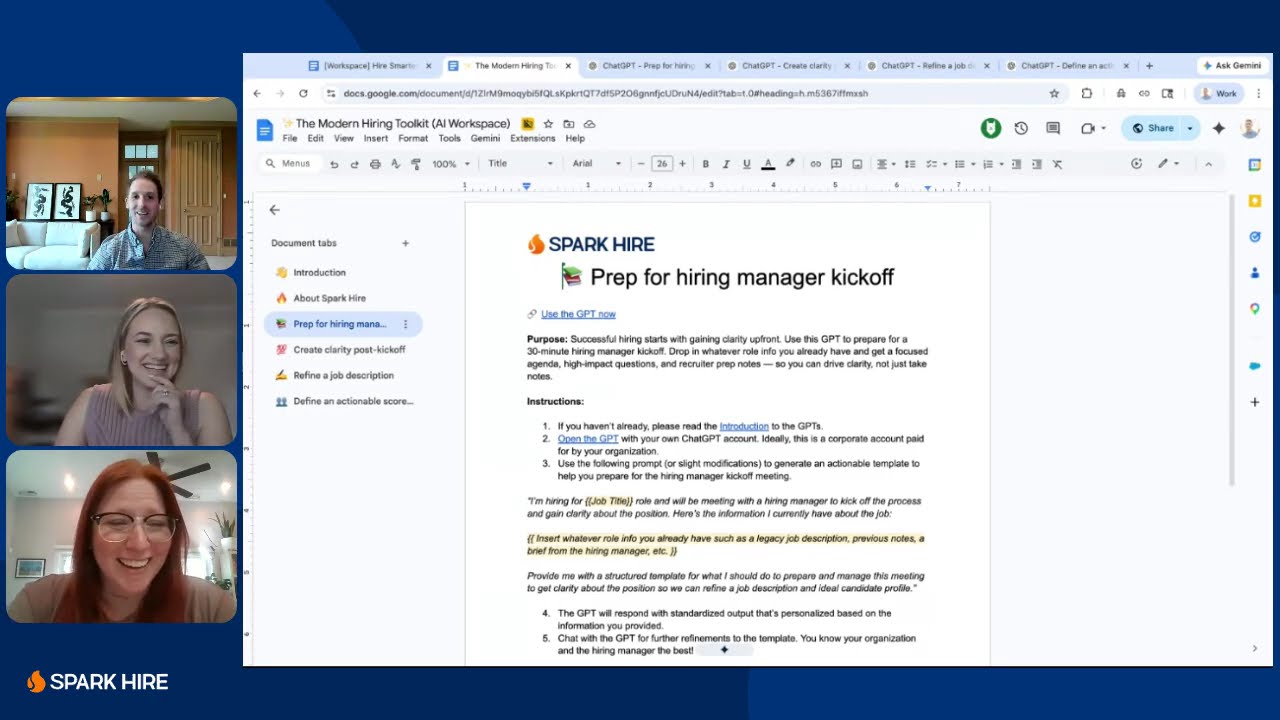
Hire Smarter in 30: A Live Hiring Sprint with Custom GPTs
Vague job descriptions and rushed kickoffs cause most of your hiring headaches. Watch a live, 30-minute demo of custom GPTs built for hiring teams.
Hiring in the Age of AI: Ethics, Authenticity, and Tech
AI makes hiring faster, but it also makes a polished answer easier to fake. Watch hiring experts on using AI for scale without losing human judgment.
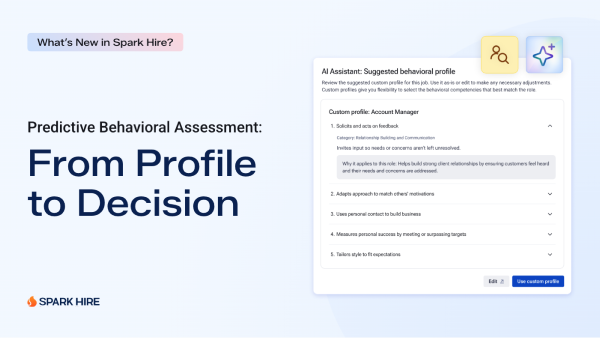
What’s New in Spark Hire: Assess the Behaviors That Predict Success
See Spark Hire’s Predictive Behavioral Assessment in action including the creation of a behavioral profile using AI based on the job description.